1. I’ve made a withdrawal from LBank to another exchange/wallet, but I haven’t received my funds yet. Why?
Transferring funds from your LBank account to another exchange or wallet involves three steps:
- Withdrawal request on LBank
- Blockchain network confirmation
- Deposit on the corresponding platform
Normally, a TxID (Transaction ID) will be generated within 30-60 minutes, indicating that LBank has successfully broadcasted the withdrawal transaction.
However, it might still take some time for that particular transaction to be confirmed and even longer for the funds to be finally credited into the destination wallet. The amount of required “network confirmations” varies for different blockchains.
For example:
- A decides to withdraw 2 BTC from LBank to her personal wallet. After she confirms the request, she needs to wait until LBank creates and broadcasts the transaction.
- As soon as the transaction is created, A will be able to see the TxID (Transaction ID) on her LBank wallet page. At this point, the transaction will be pending (unconfirmed) and the 2 BTC will be frozen temporarily.
- If all goes well, the transaction will be confirmed by the network, and A will receive the BTC in her personal wallet after 2 network confirmations.
- In this example, she had to wait for 2 network confirmations until the deposit showed up in her wallet, but the required amount of confirmations varies depending on the wallet or exchange.
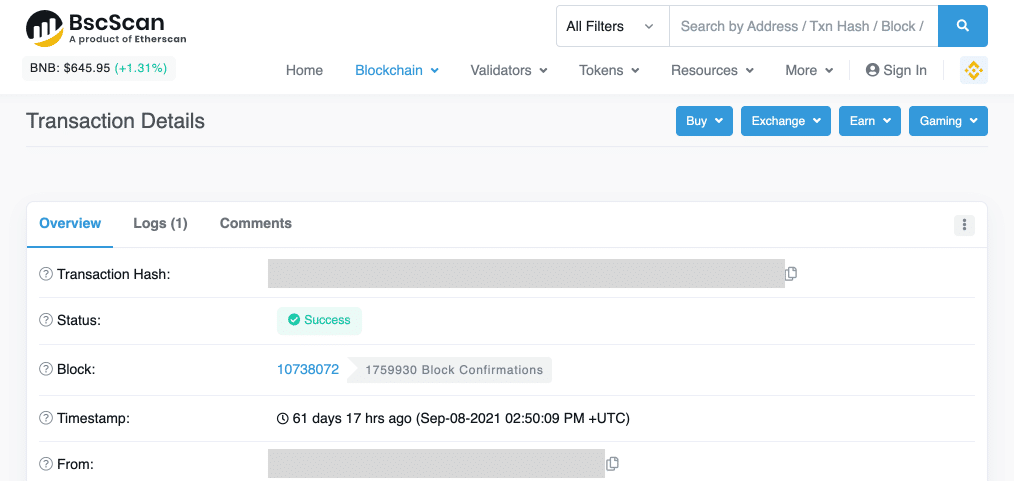
Due to possible network congestion, there might be a significant delay in processing your transaction. You may use the transaction ID (TxID) to look up the status of the transfer of your assets by using a blockchain explorer.
Note:
- If the blockchain explorer shows that the transaction is unconfirmed, please wait for the confirmation process to be completed. This varies depending on the blockchain network.
- If the blockchain explorer shows that the transaction is already confirmed, it means that your funds have been sent out successfully and we are unable to provide any further assistance on this matter. You will need to contact the owner/support team of the destination address to seek further help.
- If the TxID has not been generated 6 hours after clicking the confirmation button from the e-mail message, please contact our Customer Support for assistance and attach the withdrawal history screenshot of the relevant transaction. Please make sure you have provided the above-detailed information so the Customer Service agent can assist you in a timely manner.
2. How do I check the transaction status on the blockchain?
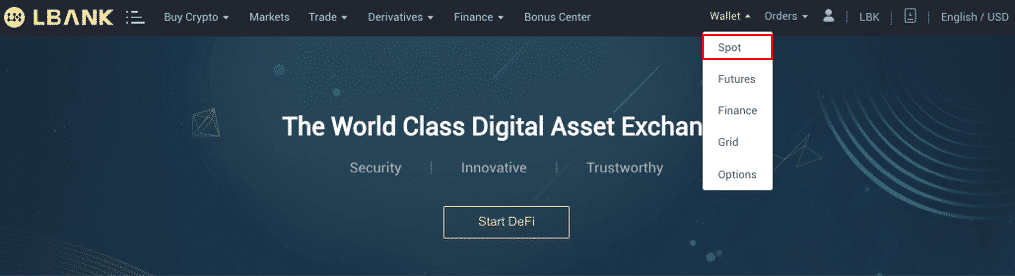
Log in to your LBank account and click [Wallet] - [Spot] - [Transaction History] to view your cryptocurrency withdrawal record.
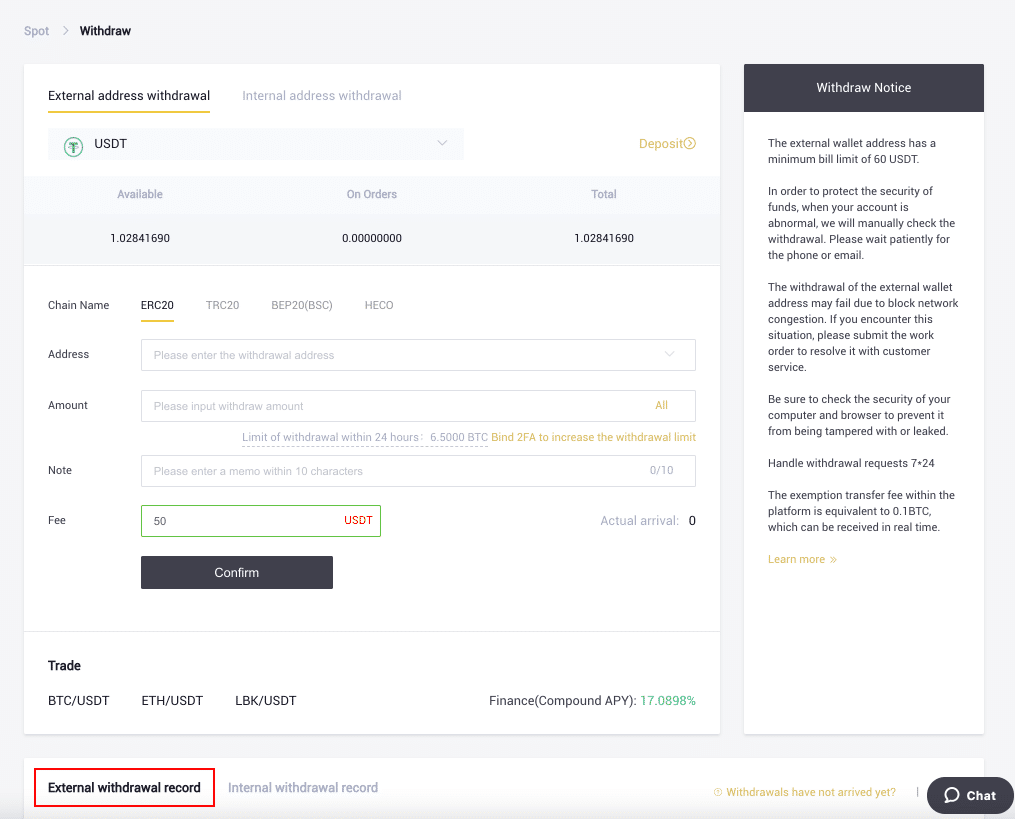
If the [Status] shows that the transaction is “Processing”, please wait for the confirmation process to be completed.
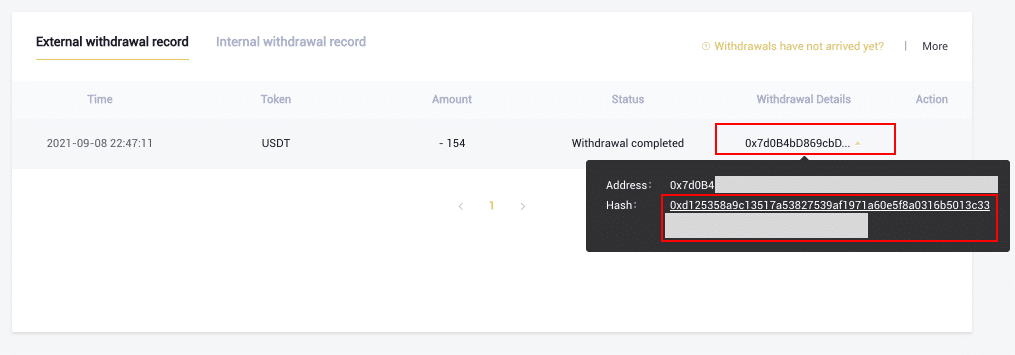
If the [Status] shows that the transaction is “Completed”, you can click on the [TxID] to check the transaction details.
Click here to download for iOS or Android
LBank community
Find us on:
Telegram: https://t.me/LBank_en
Twitter: https://twitter.com/LBank_Exchange
Facebook: https://www.facebook.com/LBank.info
MediBTFA : https://mediBTFA .com/LBank
LinkedIn: https://www.linkedin.com/company/lbank
If you have problems, please contact LBank official email: [email protected], and we will provide sincere, friendly and immediate service for you. We also welcome you to join LBank.info official English community to discuss the latest issue, (Telegram): https://t.me/LBank_en.