

Buying Process
Login & Search for Trading Pairs
-
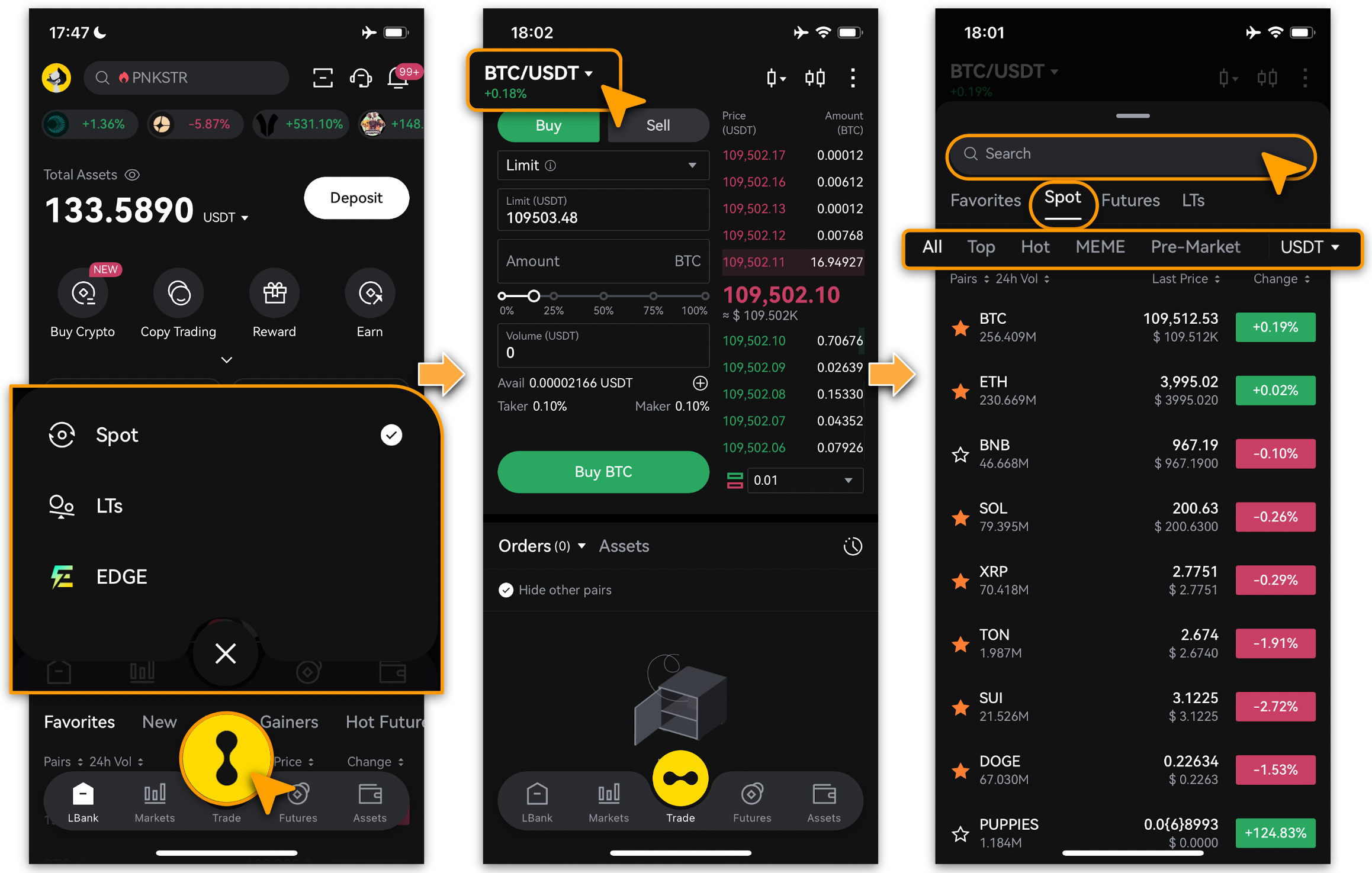
Open and login to your LBank App.
-
Double tap LBank logo, and choose「Spot」from the pop-up menu.
-
Tap「trading pair (BTC/USDT)」to select one from the recommendations, or search for your preferred trading option to start. (View by switching conditions which includes 「All」,「Top」,「Hot」,「MEME」and「Pre-Market」.
Place A Buying Order
-
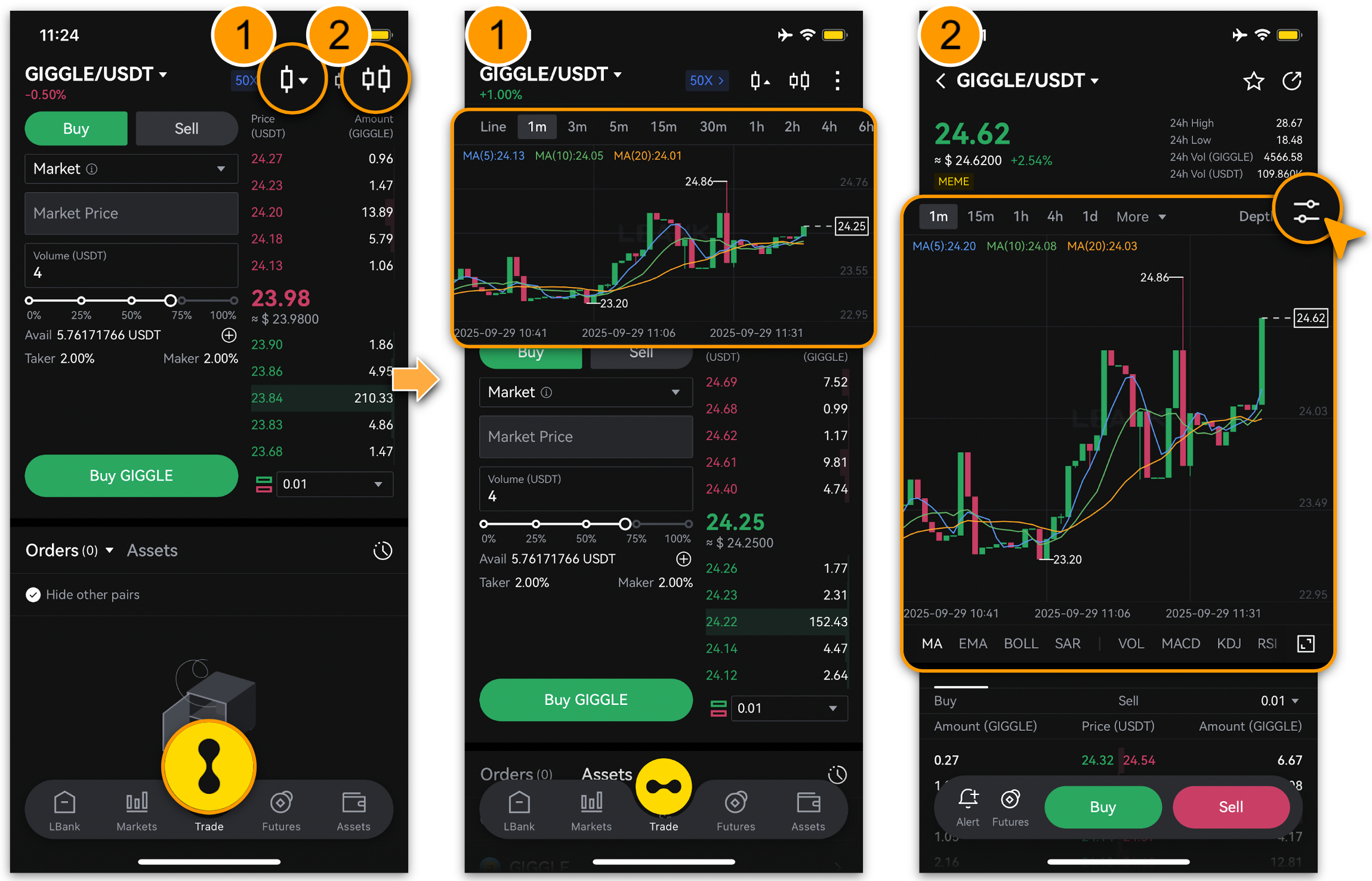
Once a Trading Target is selected, tap to view its market trend using either of the two methods below, based on your preference.
-
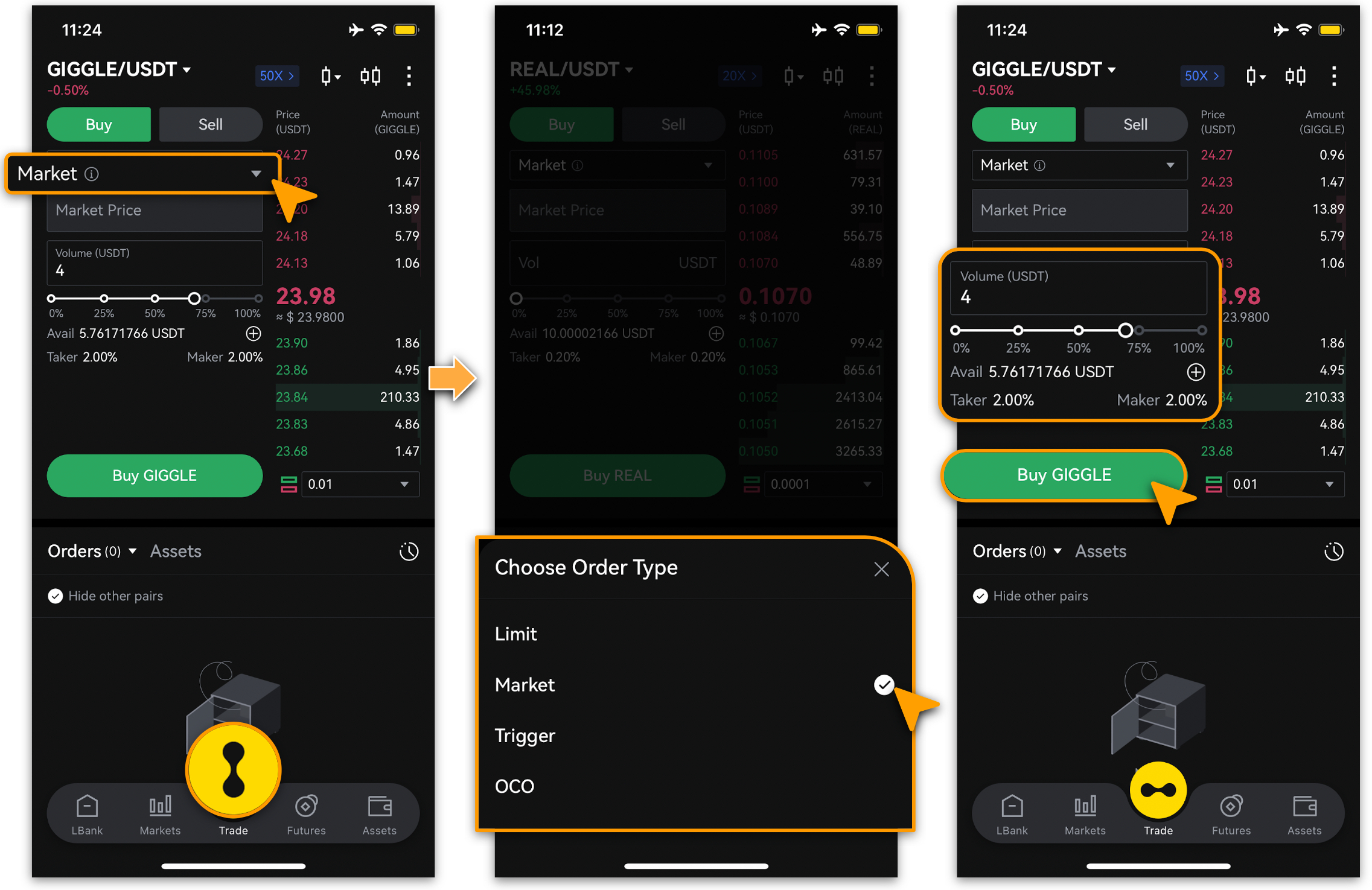
After selecting a trading pair to buy, choose an order type (「Limit」, 「Market」,「OCO」 or 「Trigger」), enter the amount, and tap 「Buy」to place the order.
View Assets
-
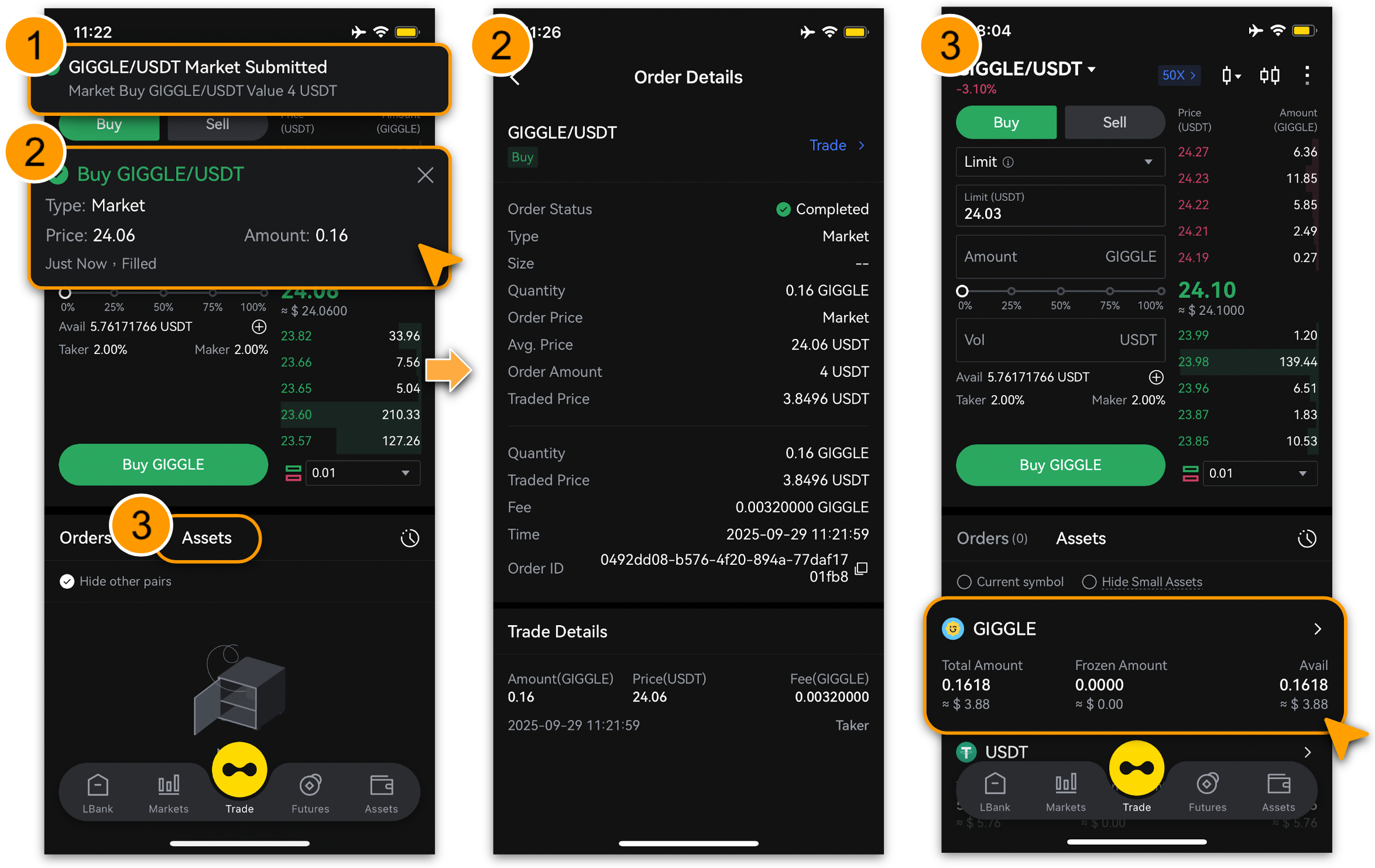
Once an order is placed, system push notifications will appear; tap it to view details.
-
Alternatively, scroll down, tap「Assets」, and select the latest record to view details.
Selling Process
View Assets to Sell
-
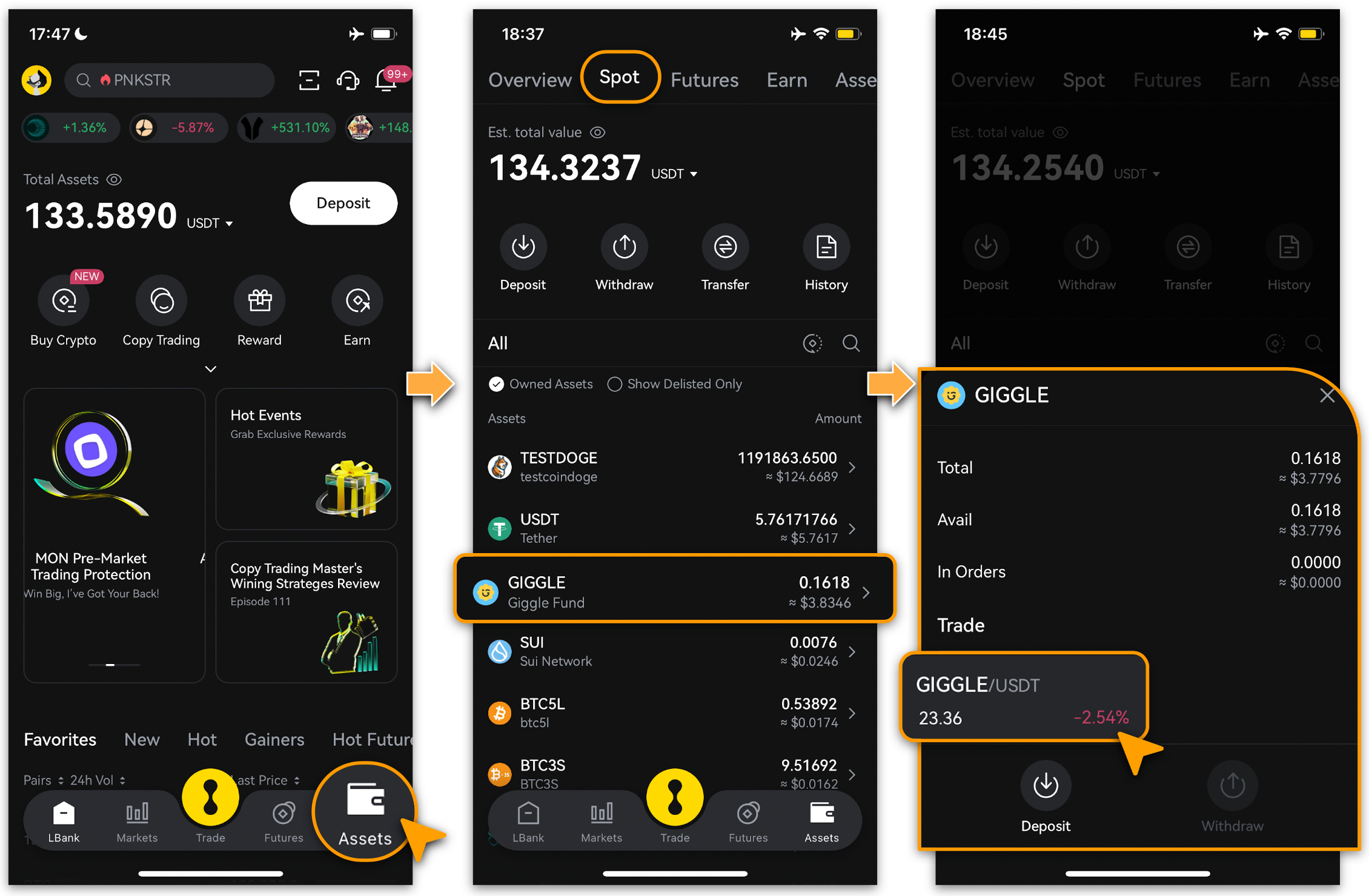
Login, tap「Assets」and switch to your「Spot」account.
-
Select any held asset and tap to view details.
-
If held asset’s trend is declining (shown in red), double-tap to access the selling page.
Place A Selling Order
-
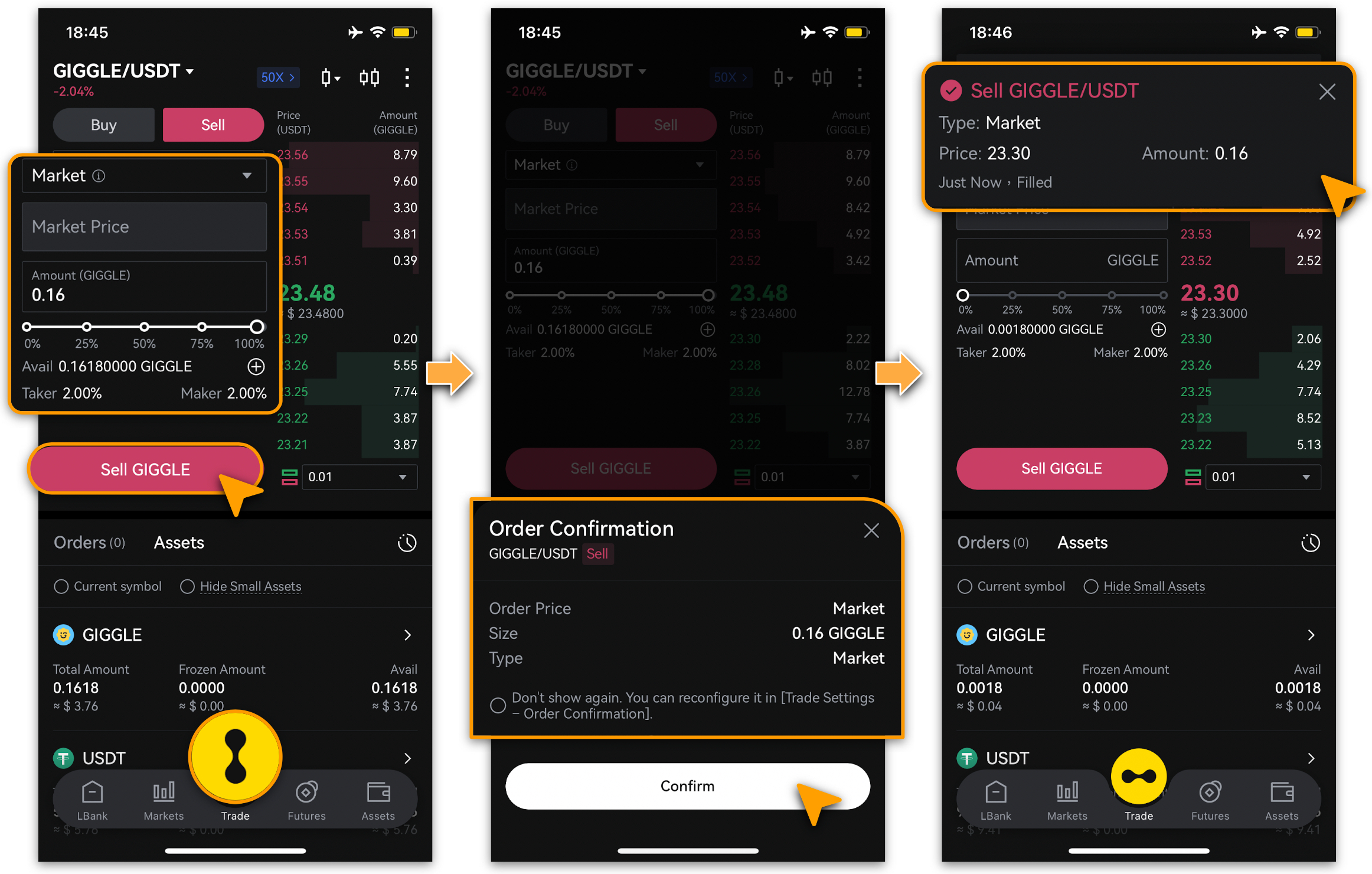
Select order type, set selling「Amount」and tap「Sell」;
-
Tap「Confirm」once order detail is confirmed.
-
Once an order is placed, system push notifications will appear; tap it to view details.
Note
-
A Limit order is to buy or sell at a specific price or better. Limit orders are not guaranteed to execute.
-
Market order is immediately matched to the best available market price.
-
Trigger orders allow traders to set target prices in advance. Only when the price reaches this level will a Limit or Market order be triggered.
-
An OCO (One Cancels the Other) order allows traders to place two orders simultaneously: one limit order and one stop order. See details on「What is an OCO Order?」.
Still Need Help?
If you have further questions or cannot resolve the issue, please visit the LBank official website (/) or contact our support team at service@lbank.com. We are committed to providing you with a secure and seamless trading experience!