

LBank P2P enables users to purchase cryptocurrency directly using local fiat currency. Users can set their desired price, select from a variety of payment methods, and enjoy a secure and reliable trading experience backed by LBank’s escrow protection. During the transaction process, users may choose a merchant according to their needs, enter the purchase amount or quantity, complete the payment, submit the payment details, and wait for the seller to release the cryptocurrency.
Access the P2P Trading
-
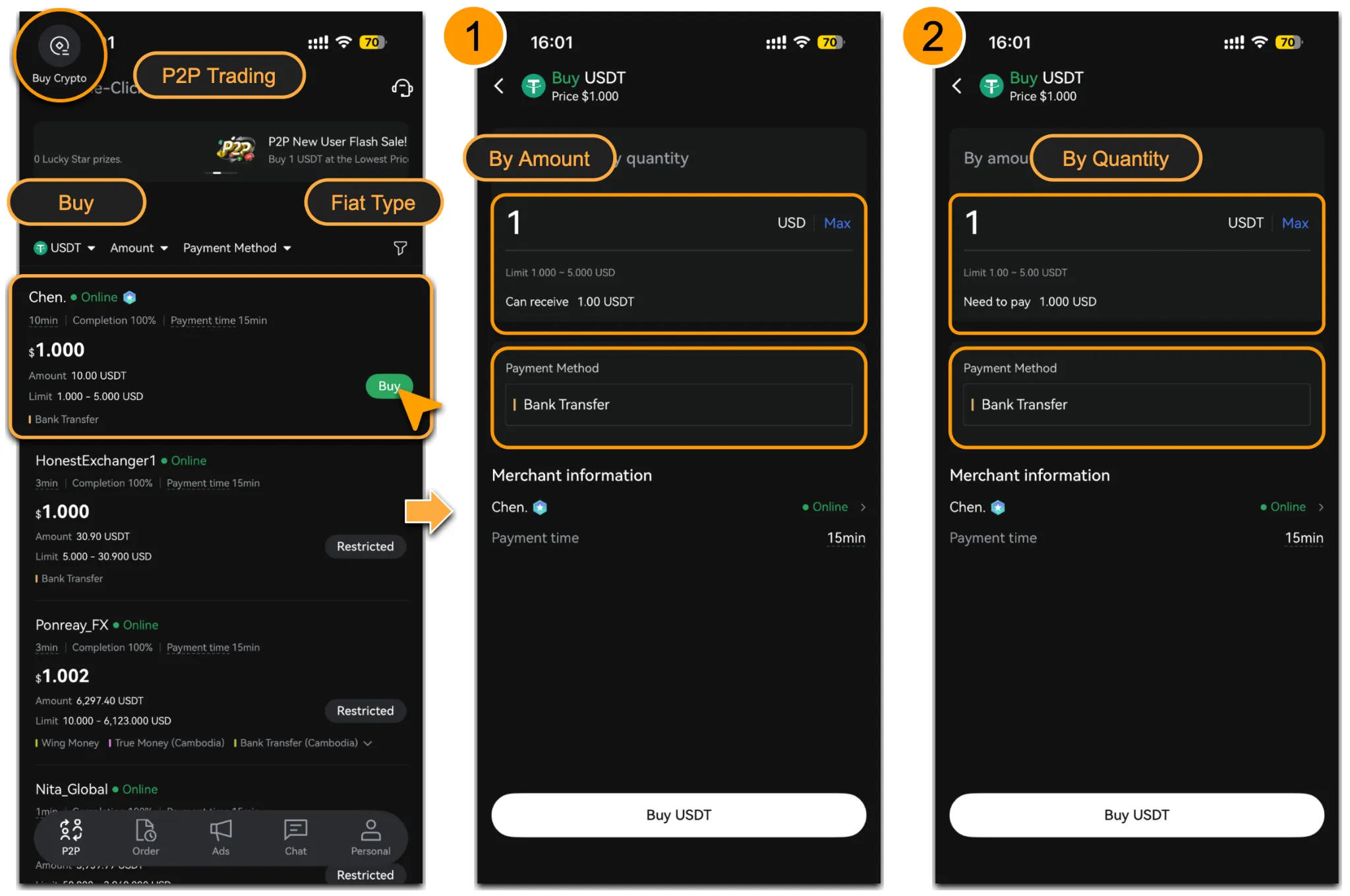
Log in to the LBank App and tap「Buy Crypto」; Please read the prompt carefully before proceeding.
-
Select「P2P Trading > Buy」,「Fiat」to view the list of available seller offers.
-
Filter options:
-
Select the cryptocurrency you want to buy (such as USDT or other supported tokens).
-
Select the amount and payment method.
-
Double confirm the type of fiat currency.
-
After applying the filters based on your needs, select a suitable seller and click the green 「🔘Buy」button to enter the trading page. You can choose to place the order「By Amount」or「By Quantity」.
Confirm Order Details & Pay
-
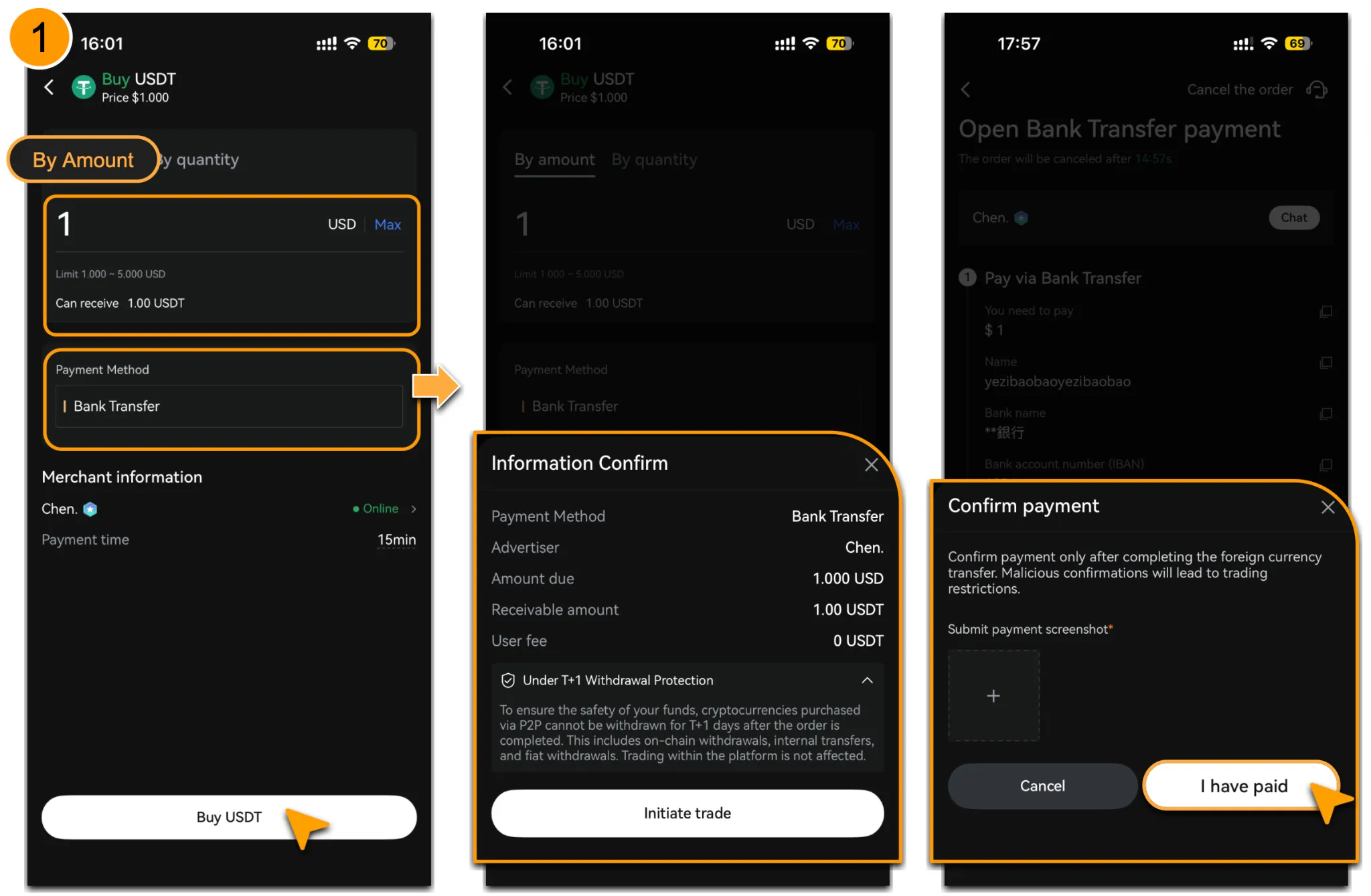
Take「By Amount」and「Bank Transfer」as an example. Enter the amount you wish to buy, confirm that the fiat currency, merchant information, and other details are correct, then click「🔘Buy」.
-
After the「Initiate Trade」order has been created, follow the payment details shown on the order and transfer the exact amount to the seller.
-
Once the payment is completed, click「I Have Paid」to confirm your order. Please do not click this button before the payment is completed. A payment screenshot or other supporting proof is required.
Waiting for Crypto Release
-
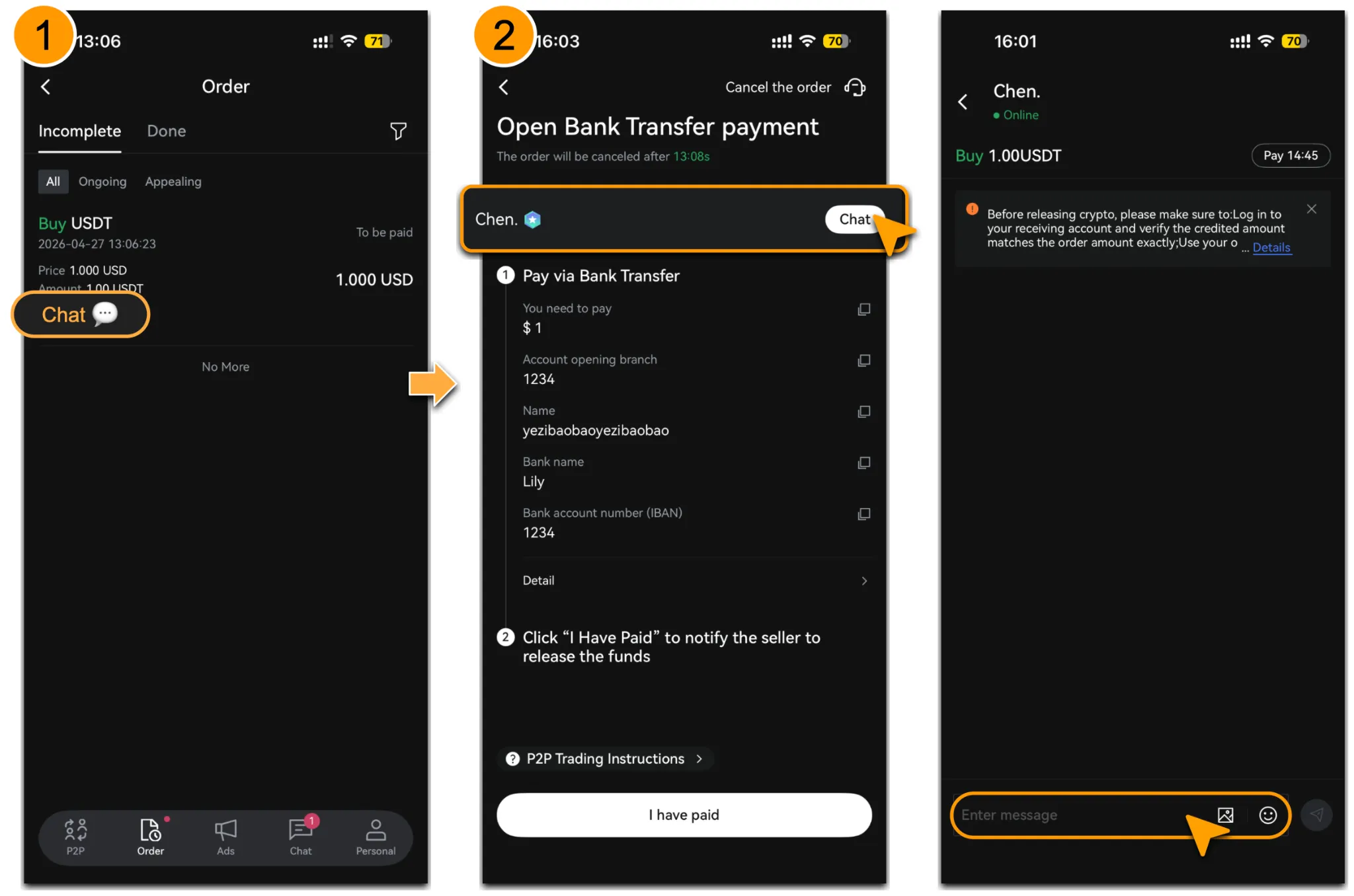
If you need to contact the seller, go to「Orders」, select the ongoing order, and click 「Chat」.
-
It is recommended to send a message such as “Please confirm receipt” to remind the seller to verify payment.
-
Once the seller confirms receipt of the payment, the cryptocurrency will be released from escrow.
-
Please wait patiently during the verification process. You will receive a notification once the crypto has been released.
Order Cancellation
-
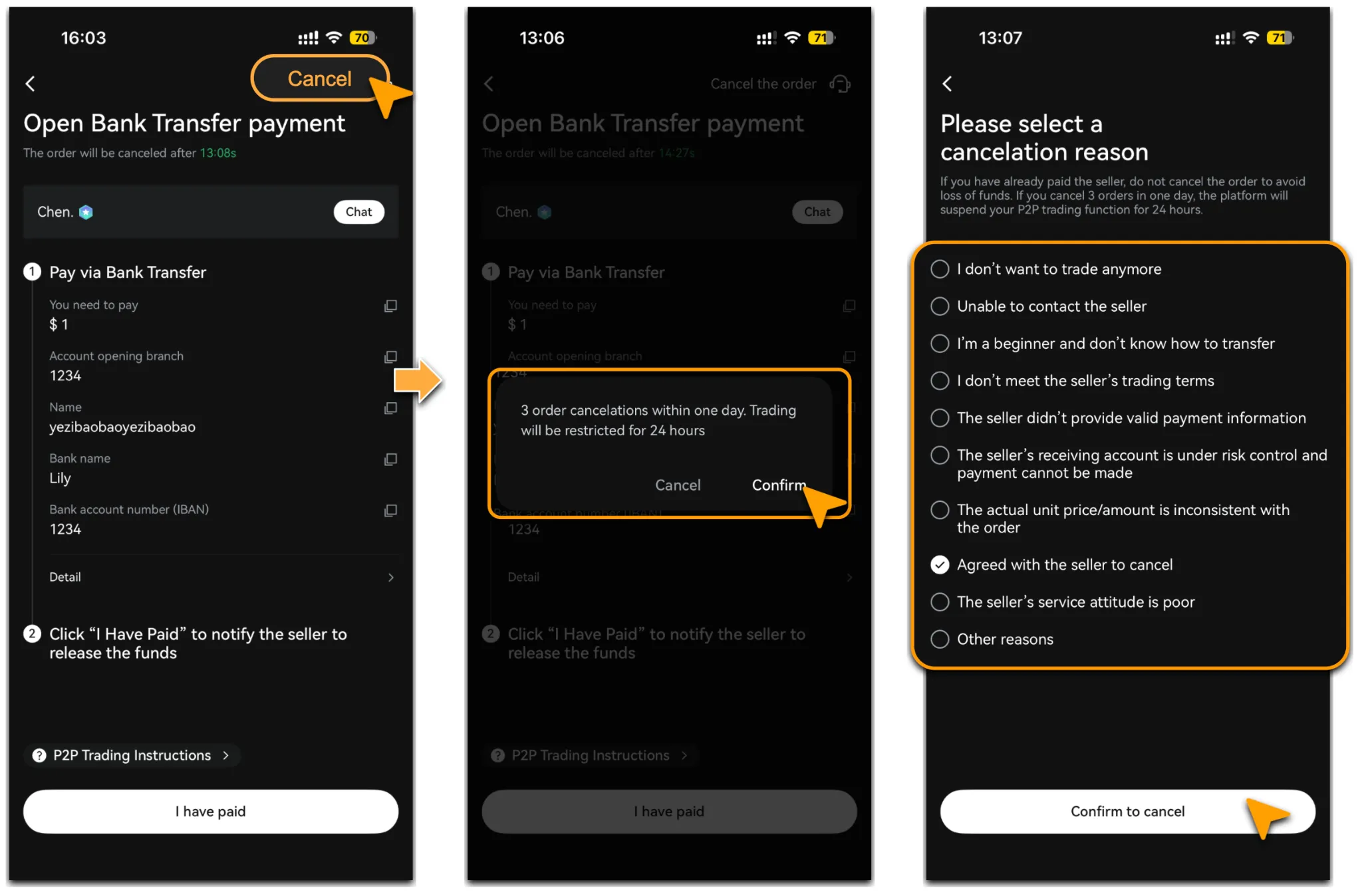
On the「Orders > Incomplete」page, select the order you wish to cancel and click「Cancel the Order」to complete the process.
-
If the order has already entered the「Done」status and needs to be canceled, please submit a relevant request to official customer support within the platform for further handling to protect your assets. Do not leave the platform or conduct off-platform transactions.
-
Each user may cancel up to 3 orders per day. If the limit is exceeded, no further cancellations will be allowed within the next 24 hours.
Important Note
-
Please complete the payment according to the recipient information and amount shown in the order.
-
Do not click「I Have Paid」before the payment has actually been completed, as this may affect the normal order process.
-
If the order has been paid for but “I Have Paid” was not clicked within the specified time, causing the order to become invalid, please contact customer service immediately for further handling to ensure the security of your funds.
-
If payment is not completed within the payment time limit, the order may be automatically canceled.
-
For certain cryptocurrencies purchased via P2P, a withdrawal protection period may apply after the order is completed. Please refer to the on-screen prompt for details.
-
Please set and verify your payment methods in advance. See details on「How to Add & Delete Payment Methods」.
Check Your Assets
Crypto Received
Once the seller releases the funds, the cryptocurrency will be credited instantly. Go to「Assets > Overview(Or Spot Account)」to view your balance.
Crypto Not Received
If the seller does not confirm receipt for a prolonged period and the funds have not been credited to your account, please click「Appeal」immediately to seek customer service support.
Reminder
For the safety of your assets, please complete the payment strictly according to the recipient information and amount displayed in the order, and do not click “I Have Paid” before the payment is actually completed. If the order enters the “Completed” status due to an incorrect operation, please contact Customer Service as soon as possible for further handling. If the payment is not completed within the specified time limit, the order may be automatically canceled. For certain cryptocurrencies purchased through P2P, a withdrawal protection period may apply after the order is completed. Please refer to the page prompt for details.