


 Transfer
To help P2P merchants receive order-related platform notifications in a more timely manner, LBank supports Telegram (TG) account binding for merchants. Once the binding is completed, you can receive relevant order notifications via Telegram, improving daily convenience and order processing efficiency.
This article will guide you through the specific steps to bind your TG account in the LBank App. Please follow the on-screen instructions in sequence to ensure the binding is completed successfully.
Applicable Users
This guide applies to users who have activated P2P Merchant status on LBank and need to bind a Telegram account.
How-to Steps
Navigate to Binding Page
-
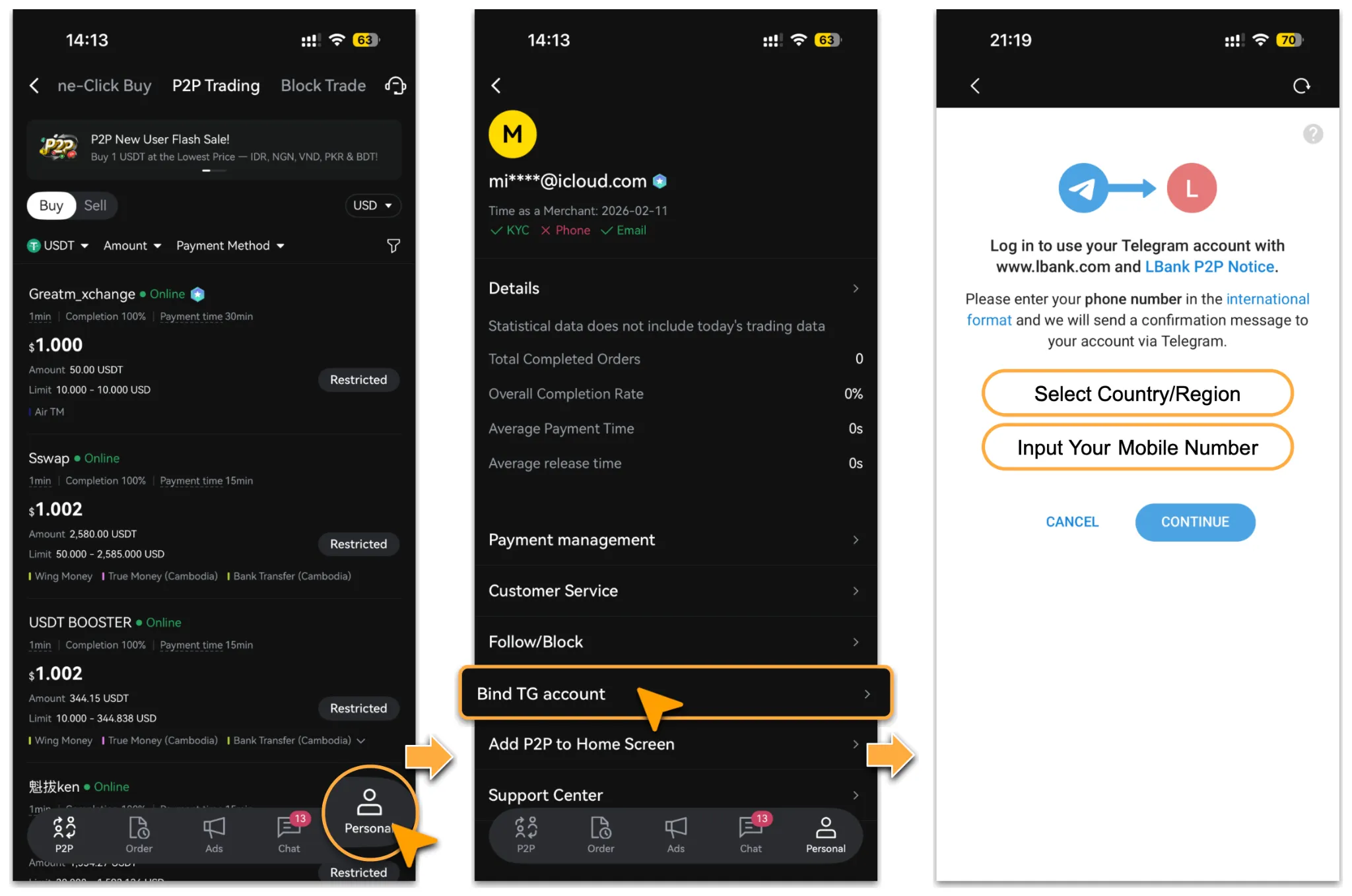
Open the LBank App and go to「Buy Crypto > P2P」. Then tap「Personal」 at the bottom and locate「Bind TG Account」.
-
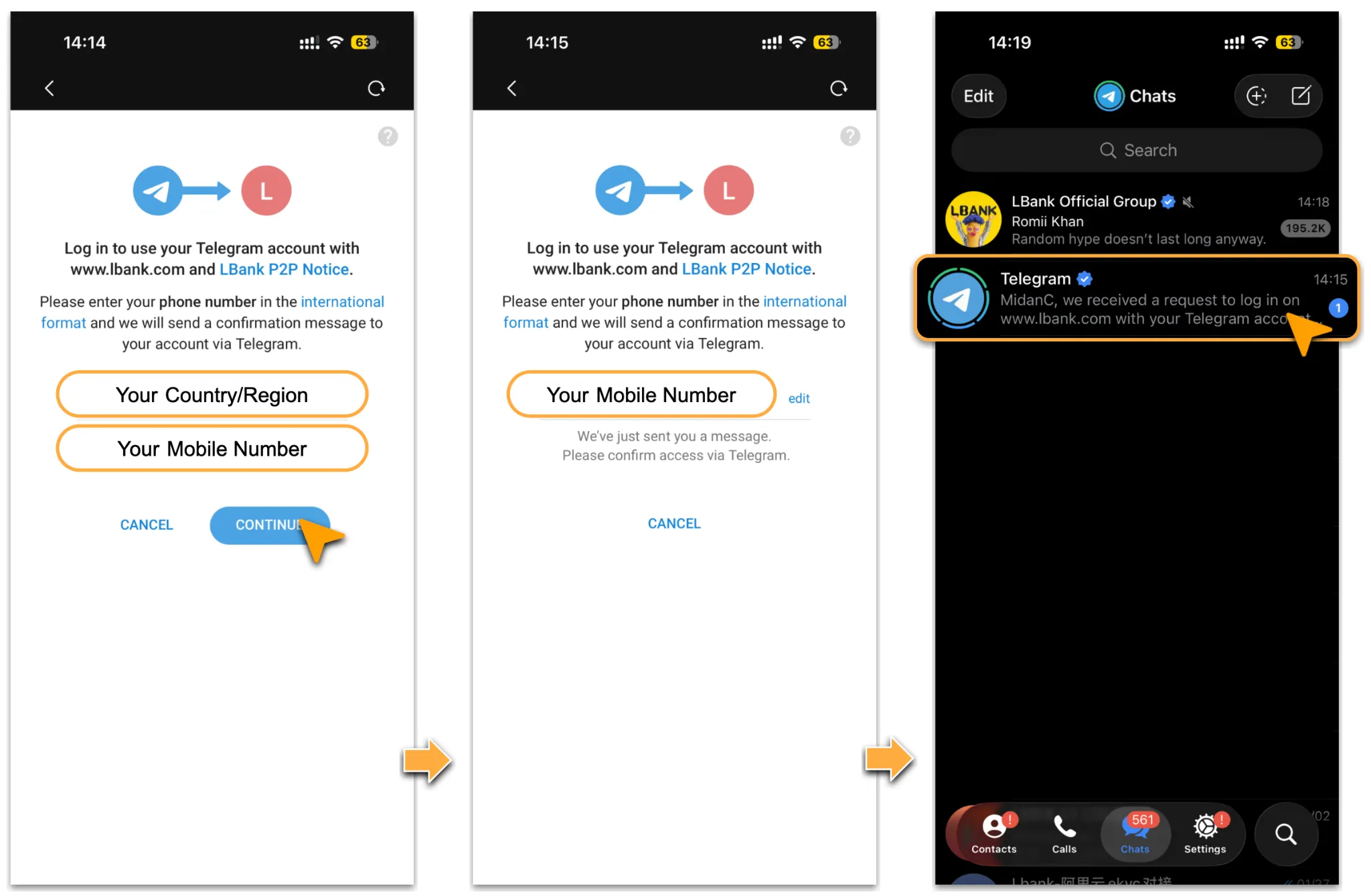
On the binding page, select your「Country/Region」and enter your「Telegram Phone Number」as prompted, confirm that the information is correct, and then tap「Continue」.
Complete Confirmation in Telegram
-
After the request is submitted, the page will indicate that a confirmation message has been sent to your Telegram. Open the Telegram App and check the login confirmation notification.
Complete Authorization
-
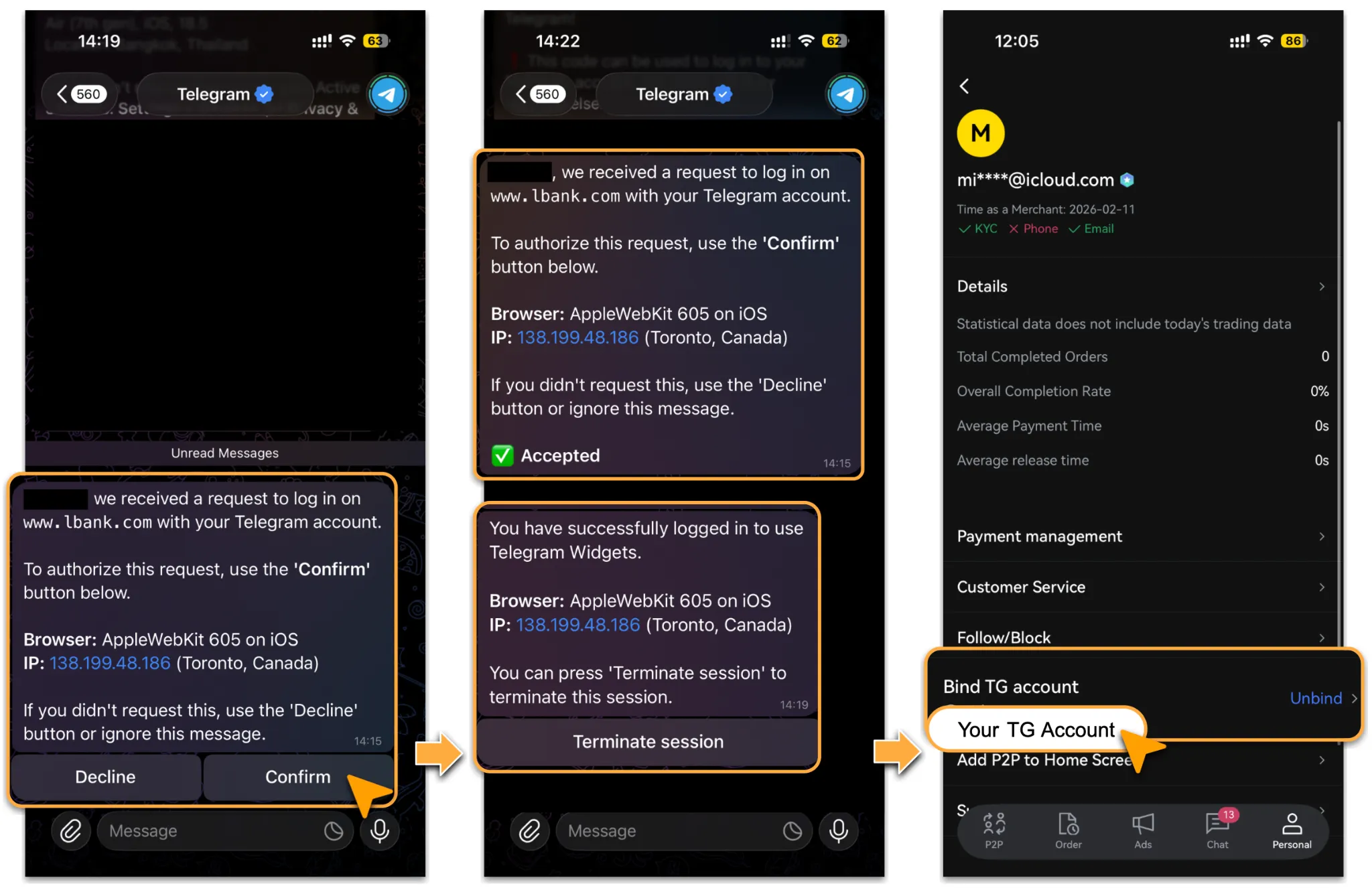
In the Telegram message, the system will display the login request details, including the browser and IP information. If the request was initiated by you, tap「Confirm」 to authorize it.
-
After authorization is completed, Telegram will show a successful login message. Return to the TG Account Binding page in the LBank App to view the bound Telegram account information. An「Unbind」entry will also be available on that page.
Important Note
-
Make sure the phone number you enter is linked to a valid Telegram account; otherwise, you may not receive the confirmation message.
-
Please enter your phone number in international format to avoid binding failure caused by formatting errors.
-
If you receive an authorization request in Telegram that was not initiated by you, tap Decline or ignore the message to protect your account security.
-
After binding is completed, it is recommended to make sure Telegram notifications are enabled so that future messages can be received normally.
Frequently Asked Questions
-
Why didn’t I receive a Telegram confirmation message after submitting my phone number?
-
Please check the following first:
-
Whether Telegram is logged in with that phone number.
-
Whether the phone number was entered correctly in international format.
-
Whether Telegram message notifications are disabled.
-
Whether the confirmation message was covered by other chats or delayed.
-
If the issue persists after checking the above, please contact LBank Customer Support for assistance.
-
Can I unbind the Telegram account after binding it successfully?
-
Yes. Go to「Buy Crypto > P2P > Personal」,tap「Bind TG Account > Unbind」to complete the unbinding process.
Reminder
After your TG account is successfully bound, P2P merchants can receive relevant order notifications more conveniently, helping improve account usage efficiency and the timeliness of information delivery. It is recommended to also ensure that Telegram notification permissions are enabled after binding, so that future messages can be received without interruption.