


 Transferência
In the LBank P2P (peer-to-peer) trading section, the Merchant Ads posting feature is a key tool that enables free exchange between fiat currencies and cryptocurrencies. By posting Ads, merchants can independently set their trading prices, limits, and payment methods, providing liquidity and convenience to users. This guide will walk you through the step-by-step process of posting an Ad and help you manage transactions safely and efficiently.
Definition of Merchant Ads
P2P Ads are buy or sell orders posted by merchants to attract matching counterparties. Each Ad includes the following core elements:
How-to Steps
Login & Enter P2P Section
-
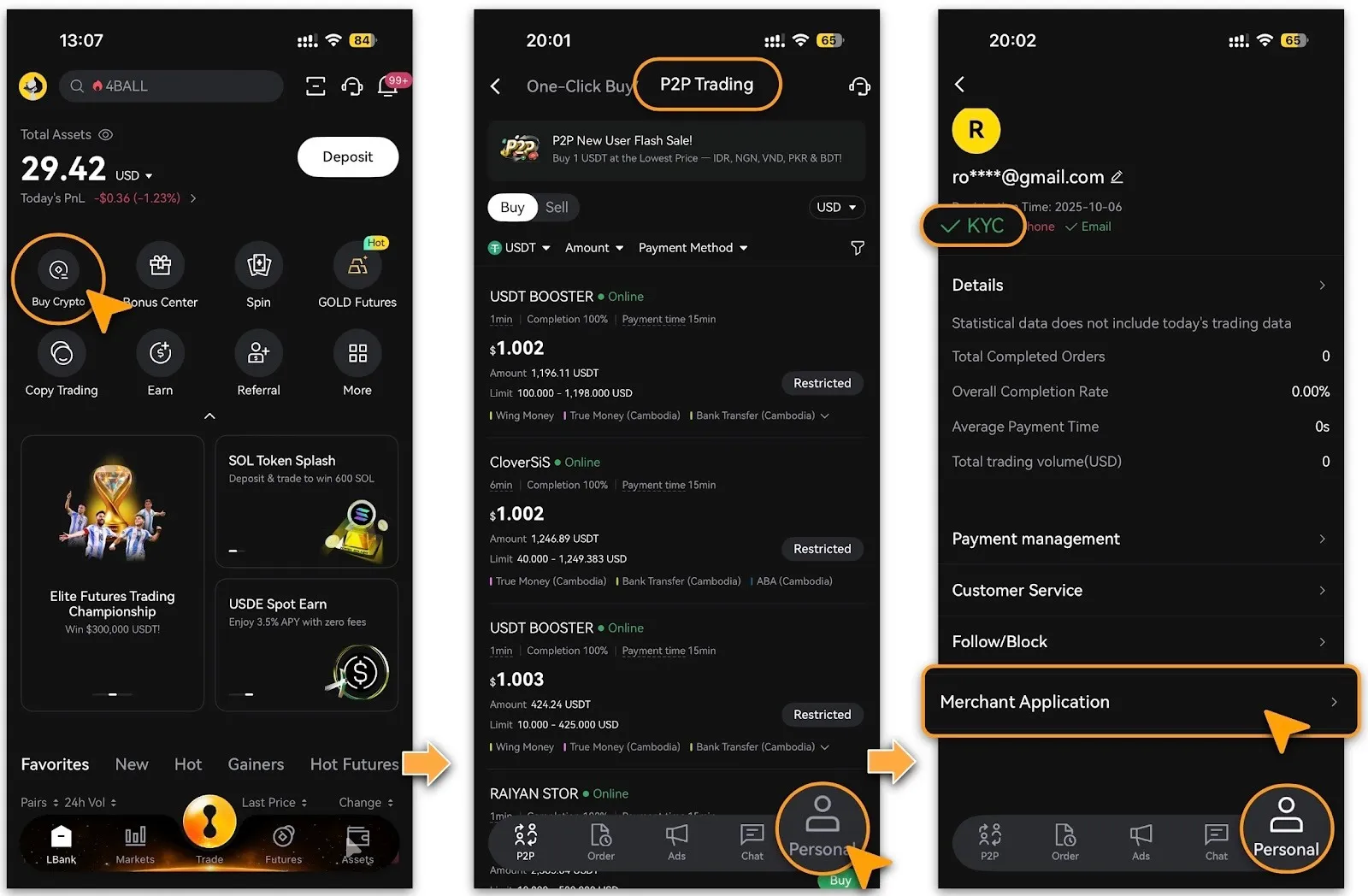
Log in to LBank App, tap「Buy Crypto」on the home page, then go to「P2P > Personal」 and tap「Merchant Application」.
-
Only approved P2P merchants can publish Ads. Users who have not passed merchant verification must first complete KYC (identity verification) and the merchant application process.
Select「Post Ad」
-
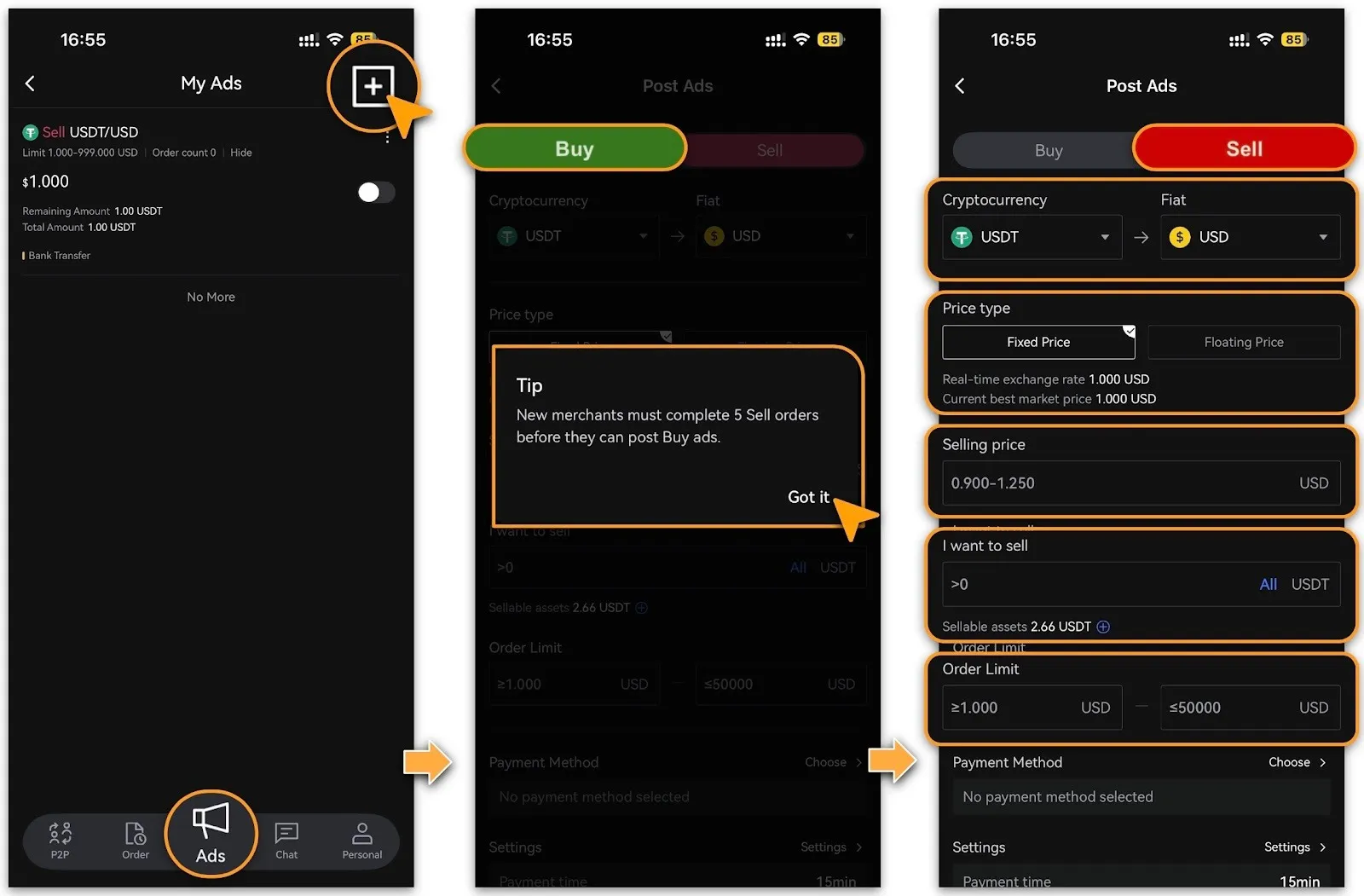
After your merchant application is approved, tap「Ads」 and choose the trading direction:
-
「Buy (note: new merchants must first post Sell Ads and complete 5 successful sell orders before posting Buy Ads)」;
-
or「Sell」.
-
Merchants who have applied and deposited the required security fund can freely post both Buy and Sell Ads.
-
The merchant review process usually takes 1 to 3 business days.
-
The following uses「Sell」as an example to configure trade parameters:
-
Select cryptocurrency and fiat currency;
-
Price type: 「Fixed Price」or「Floating Price」.
-
Set「Selling Price」, 「Sell Amount」, and 「Order Limits」. If available assets are insufficient, tap「+」to transfer funds;
-
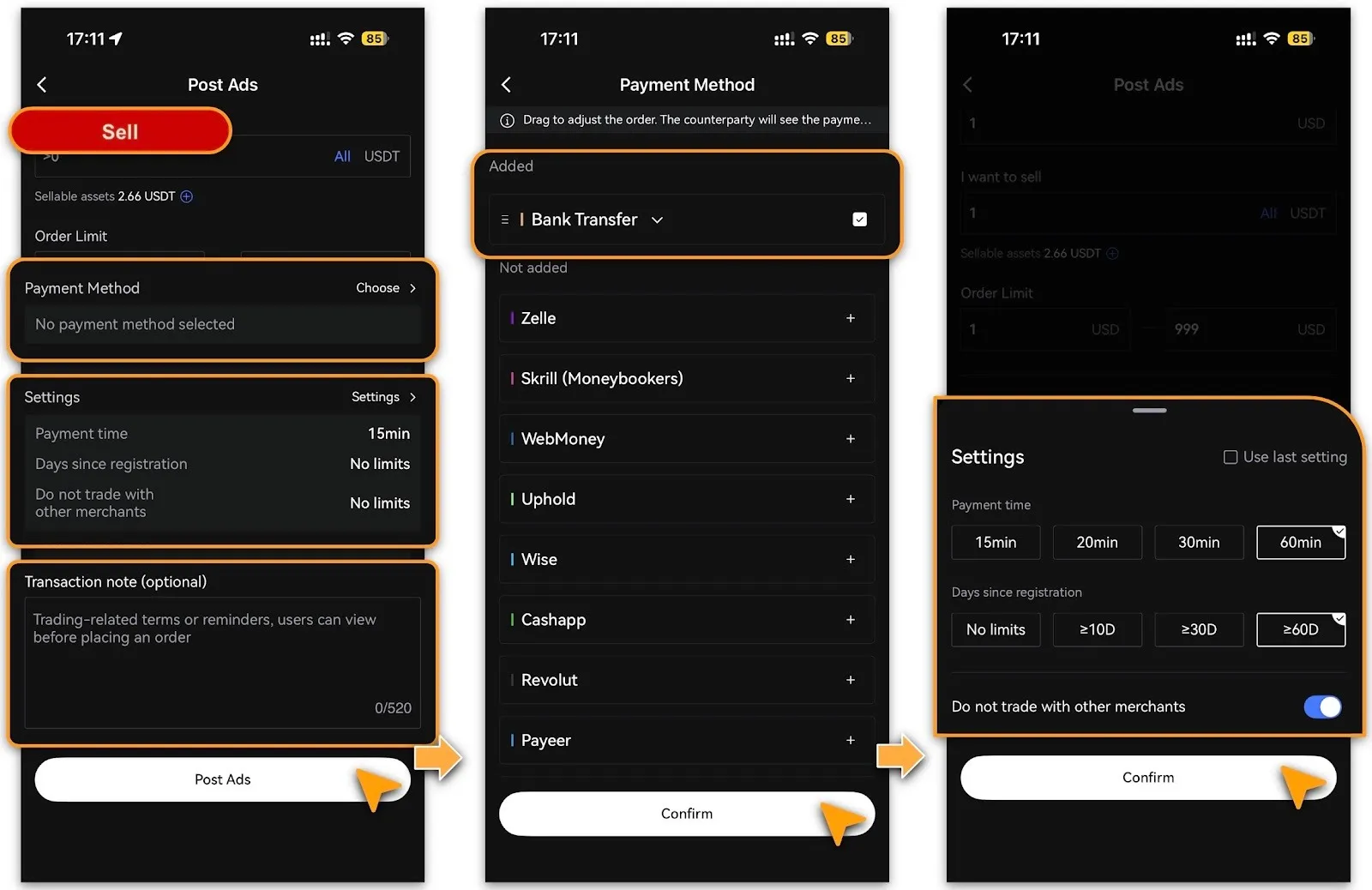
Payment Methods: Add or select linked payment accounts;
-
Settings: Configure「Payment Time」and「Days Since Registration」, or enable「Do Not Trade With Other Merchants」;
-
Transaction Note (Optional): Add notes for counterparties.
-
Confirm Posting: Review all details and tap「Post Ads」. The Ad will then appear in the market. You can manage it anytime in「My Ads」by pausing, editing, or revoking.
Ads Management
-
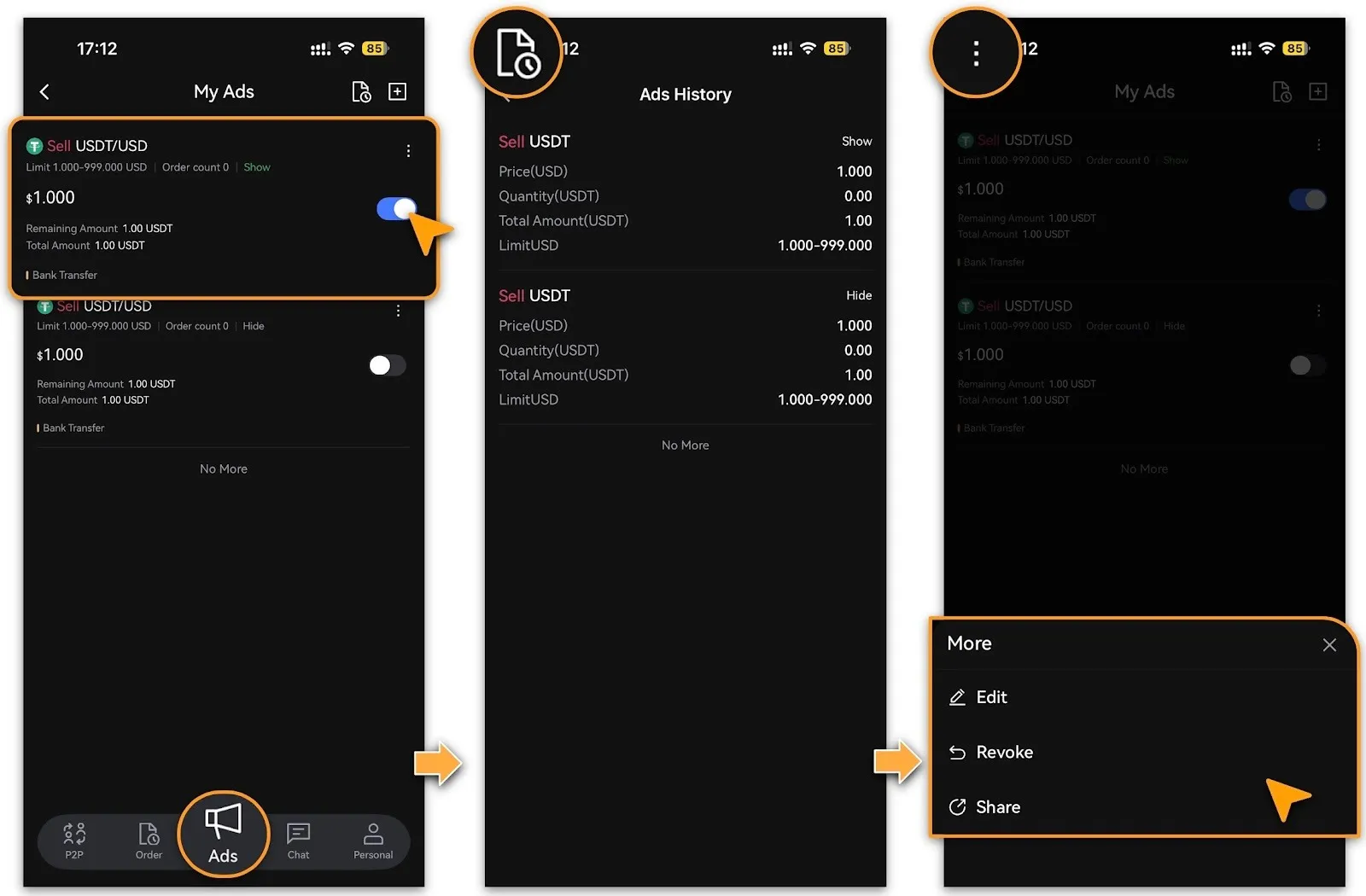
After posting, go to the Ads page to manage your listings.
-
For any active Ad, you can toggle it on/off, 「Edit」details,「Revoke」it, or「Share」the Ad link with other users when needed.
Safety & Compliance Tips
-
Use only payment accounts registered under your real name.
-
Do not conduct off-platform private transactions or fund transfers.
-
Respond promptly to counterparty messages to avoid order cancellation due to timeout.
-
In case of disputes, submit an “Appeal” via the customer service channel for platform arbitration.
Frequently Asked Questions
-
Why isn’t my Ad displayed in the list?
-
Confirm the Ad is enabled and the price is not significantly deviated from the market. Paused or non-compliant Ads will not be publicly visible.
-
Can I post multiple Ads at the same time?
-
Yes. Merchants can create multiple Ads for different cryptocurrencies or payment methods, but sufficient balance must be maintained.
-
How to edit a posted Ad?
-
Go to「My Ads」, select the target Ad, tap「Edit」, make changes, and repost.
-
What happens if my Ad is reported?
-
The platform may temporarily suspend the related Ad and start an appeal process. Please provide transaction proofs and chat records in time to assist with the investigation.
Reminder
LBank P2P Merchant Ads feature offers a flexible, transparent, and user-controlled matching environment for fiat-crypto trading. Mastering the posting process and safety guidelines will help you efficiently increase trading volume and build reputation. We recommend regularly reviewing your Ad settings to keep prices aligned with the market, ensuring smoother and safer transactions every time.