

Buying Process
Login & Search for Trading Pair
-
Go to LBank Website and login to your account 👉 /
-
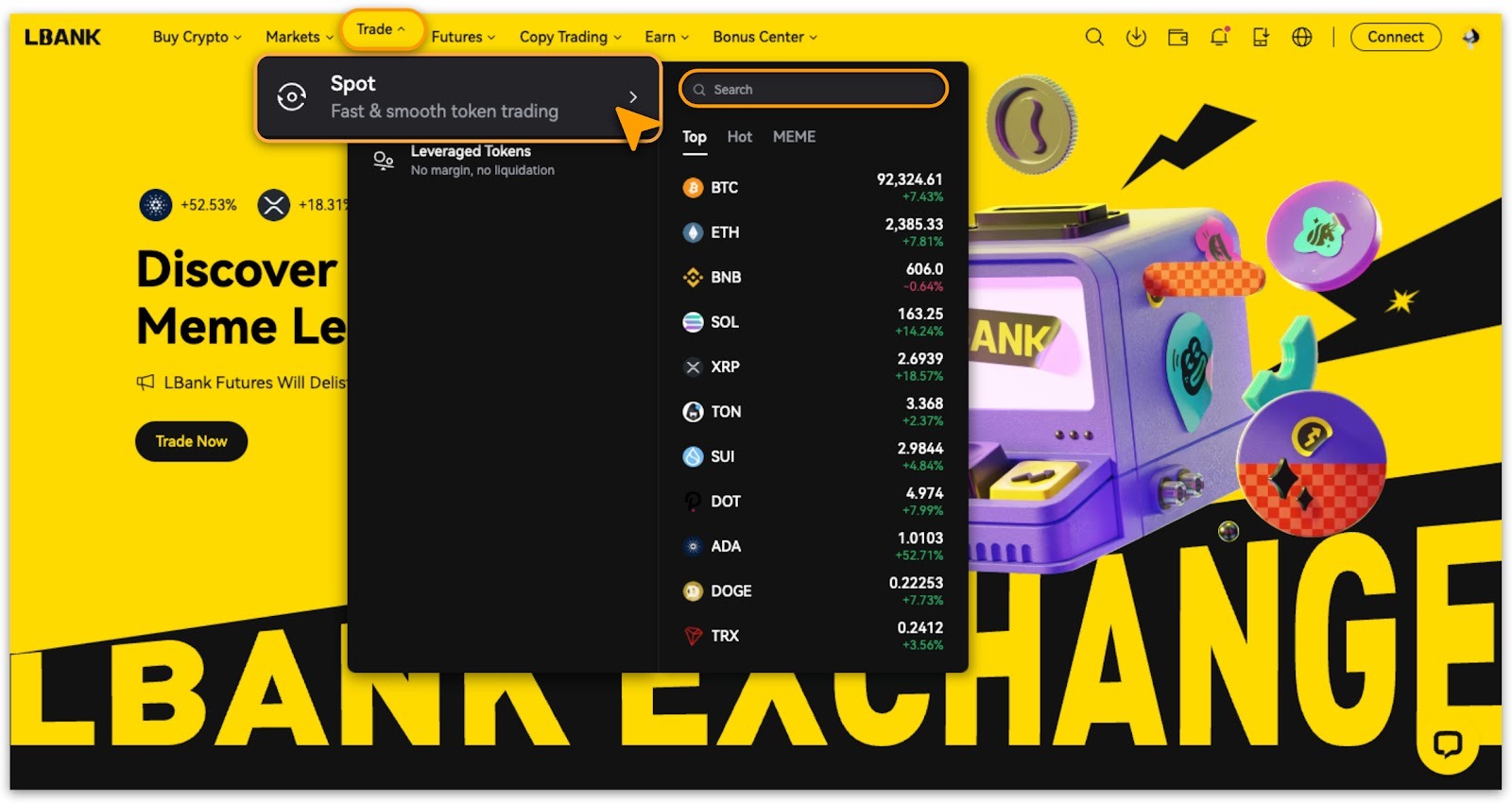
Tap「Trade > Spot」.
-
If you have a specific targeted trading object you are allowed to search it.
-
To search for a specific trading target, tap on「Spot」.
-
Select「Buy」direction;
-
Ensure you've selected「Limit」,「Market」or「Trigger」as order type and entered the amount before tapping「Buy」.
Placing A Buying Order
-
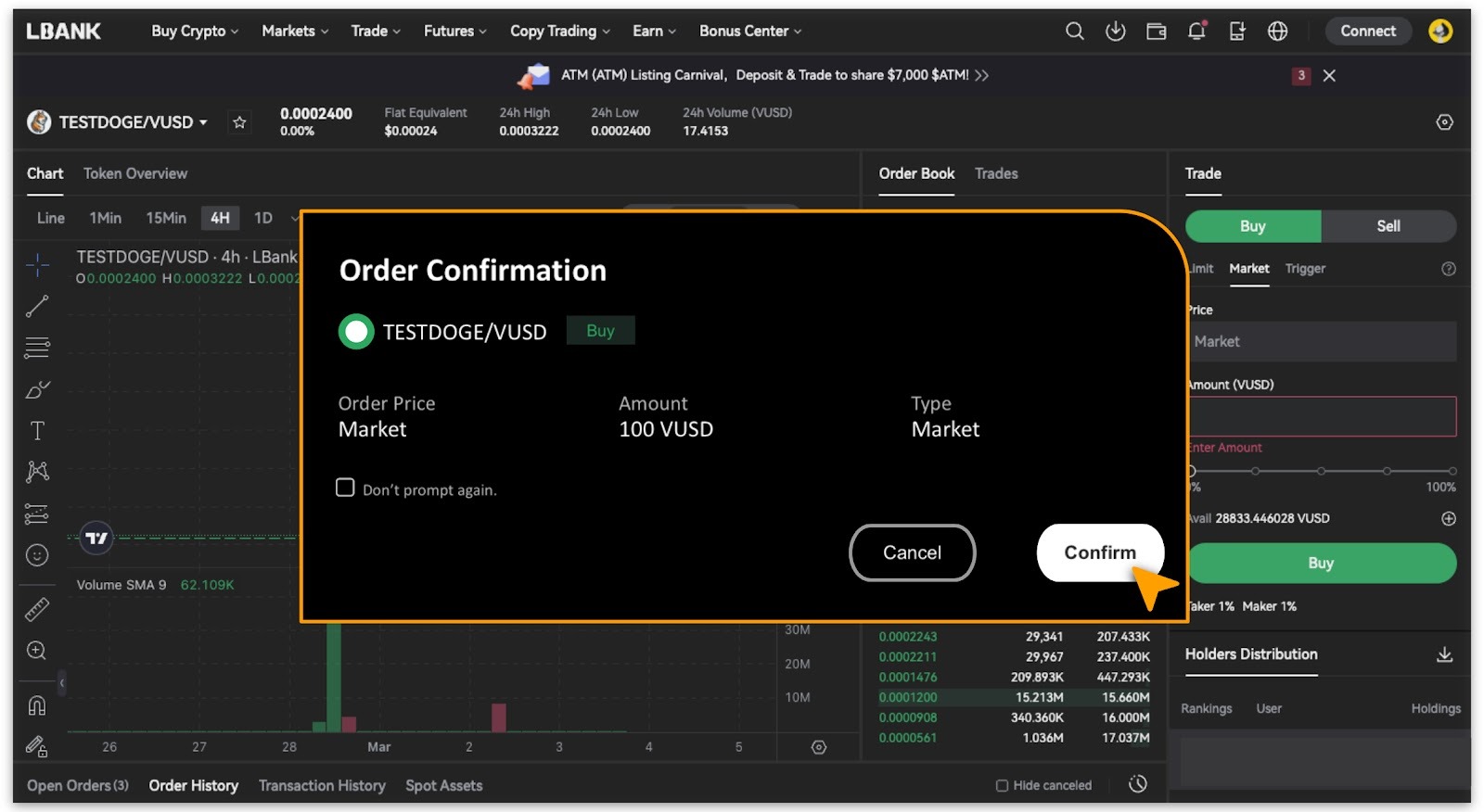
A pop-up will guide you to review and confirm order details.
-
After reviewing, simply tap「Confirm」to proceed with your Buying Order.
-
Alternatively, tap「Cancel」to make changes.
View Trading Records
-
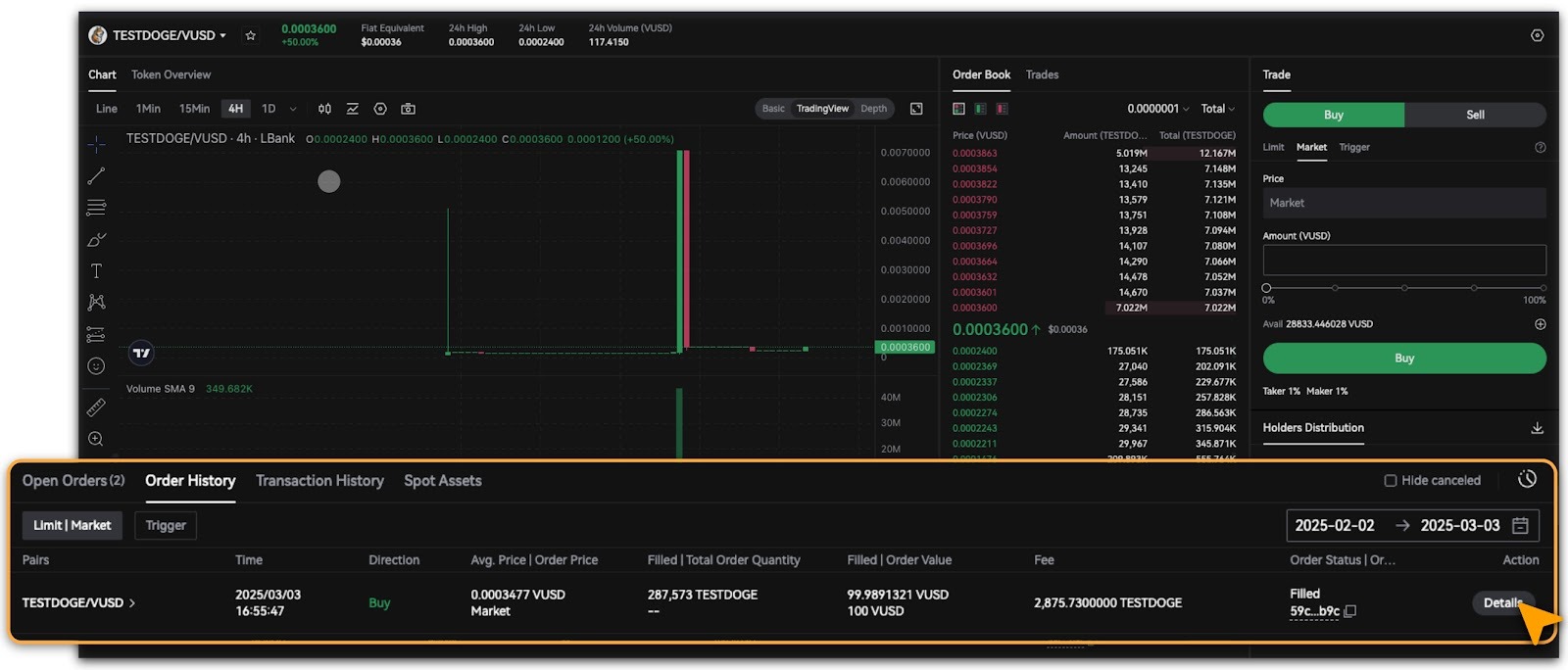
Once the buying order is successfully processed, view the order history below the chart.
Selling Process
View Assets
-
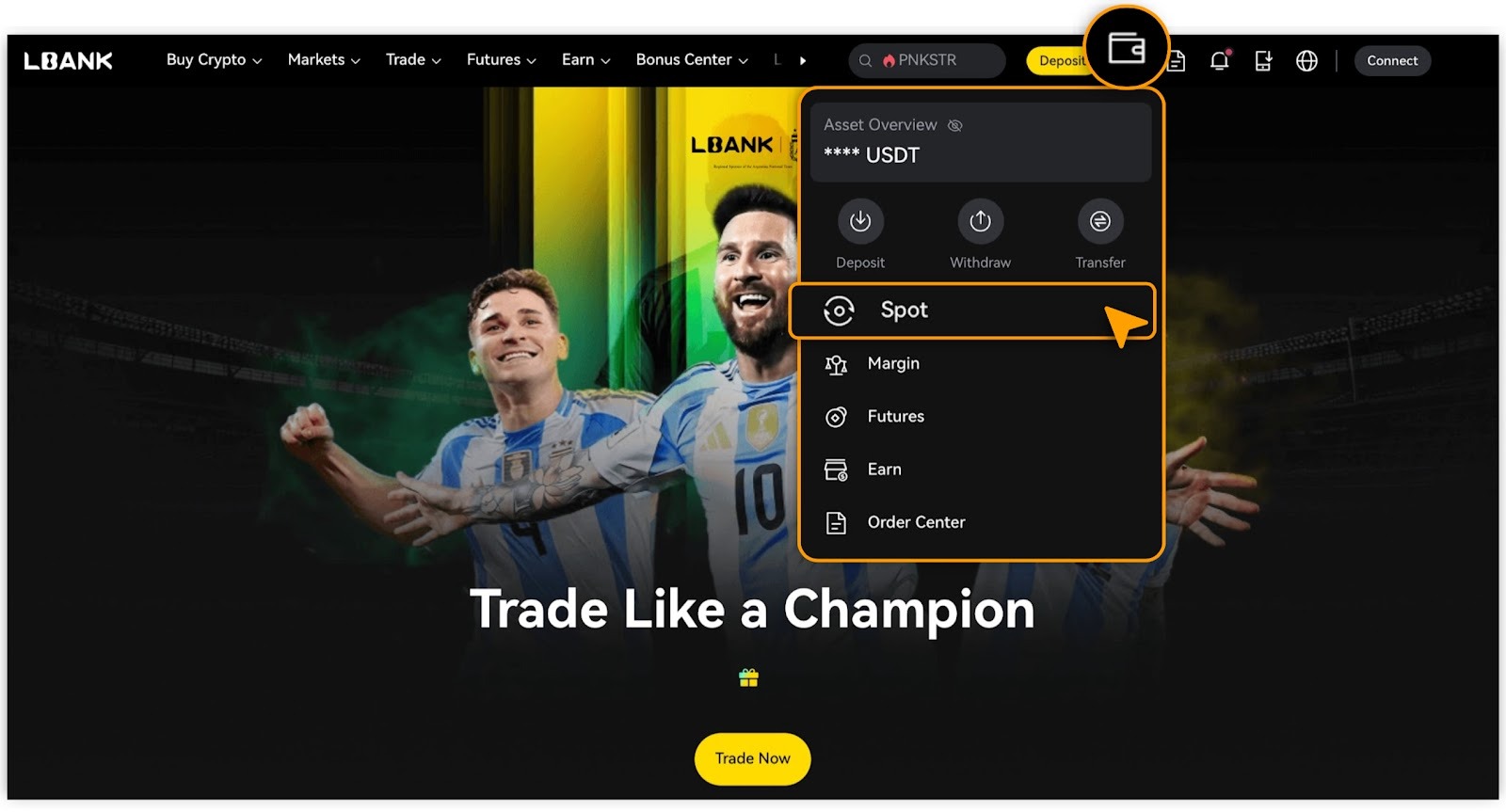
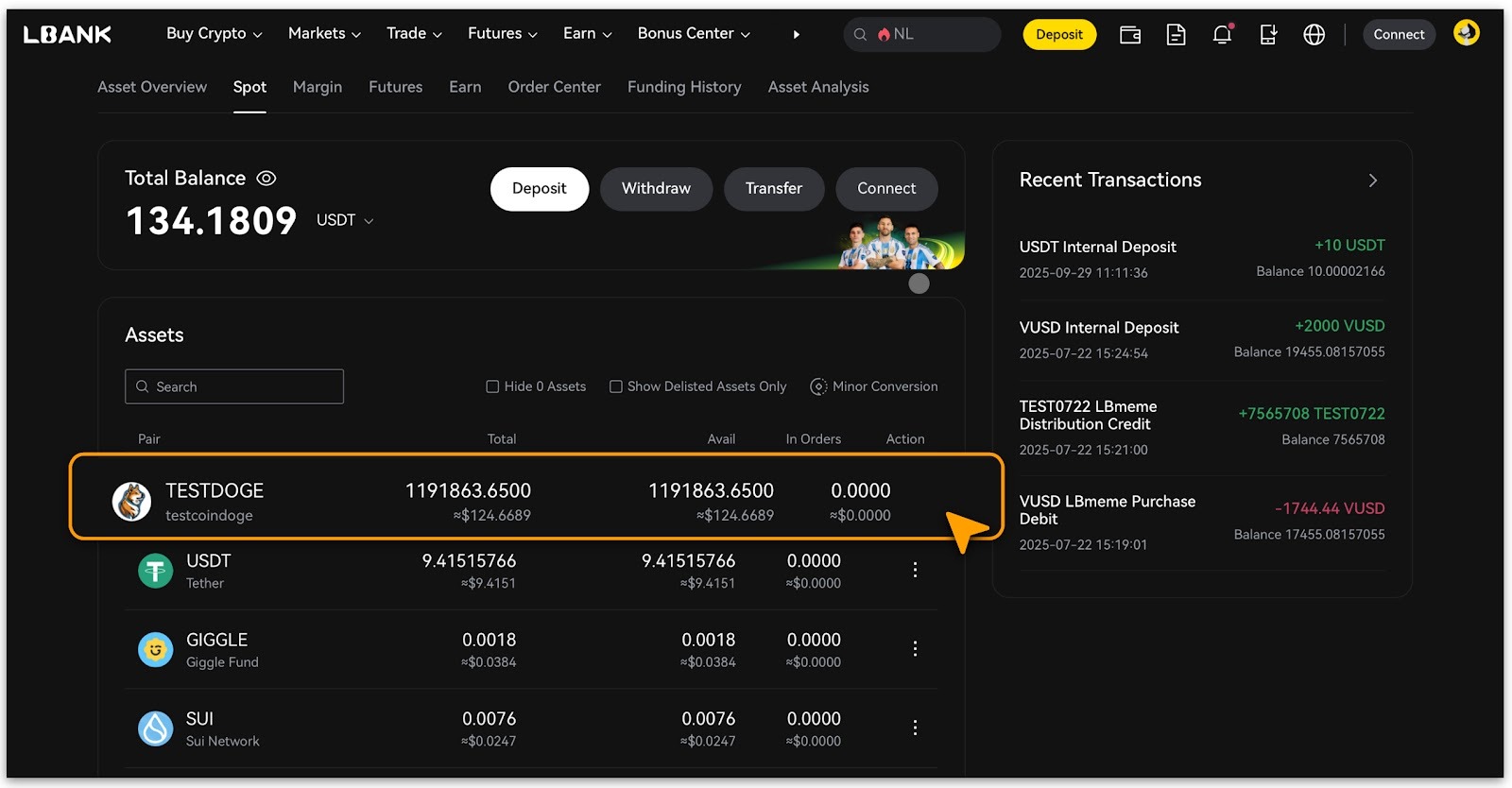
Login and tap「Assets/Wallat」>「Spot」;
-
In the asset list, select the spot asset for a「Sell」transaction and double-tap.
Confirm Selling Order
-
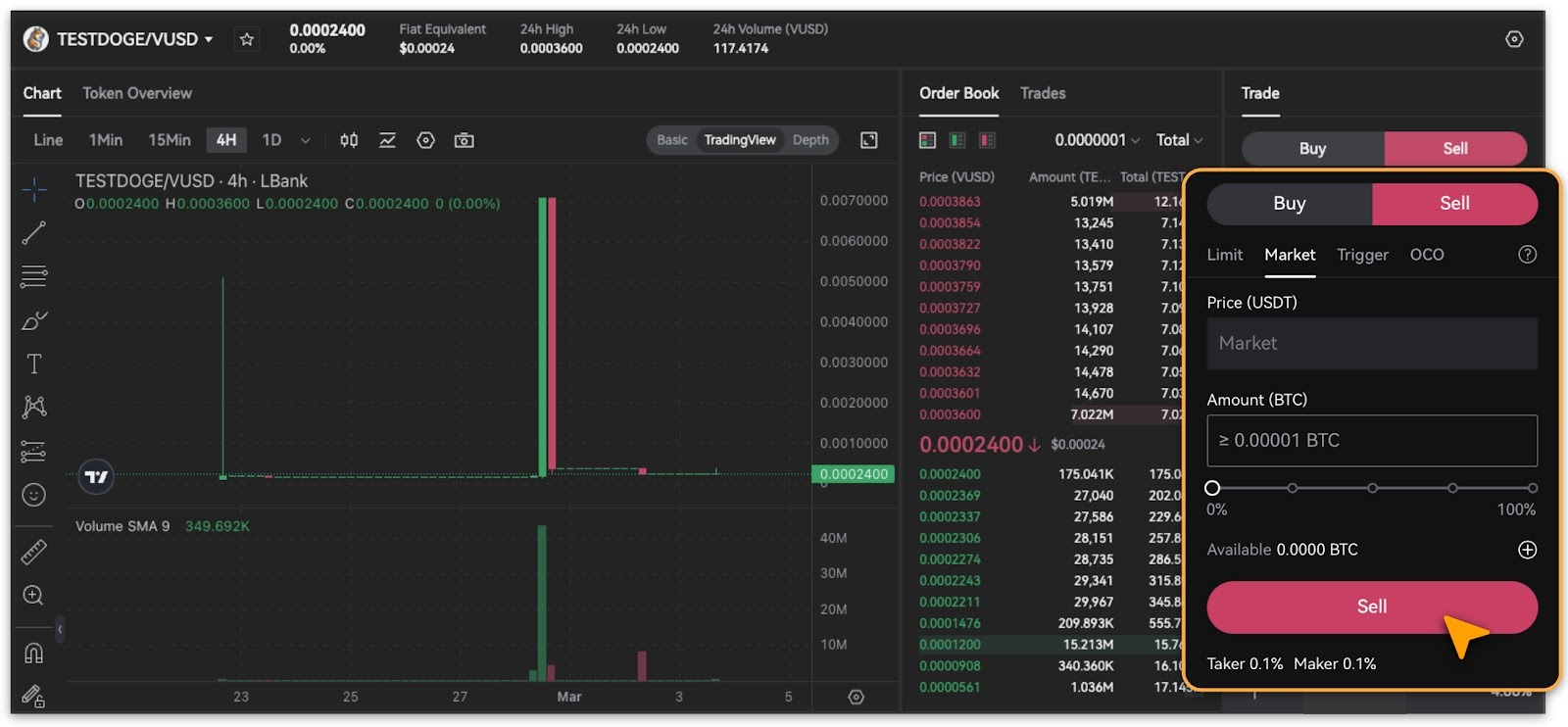
After navigating to the corresponding trading pair page, switch to the「Sell」option on the right-side panel, confirm the market price and sell amount, then click「Sell」to proceed.
-
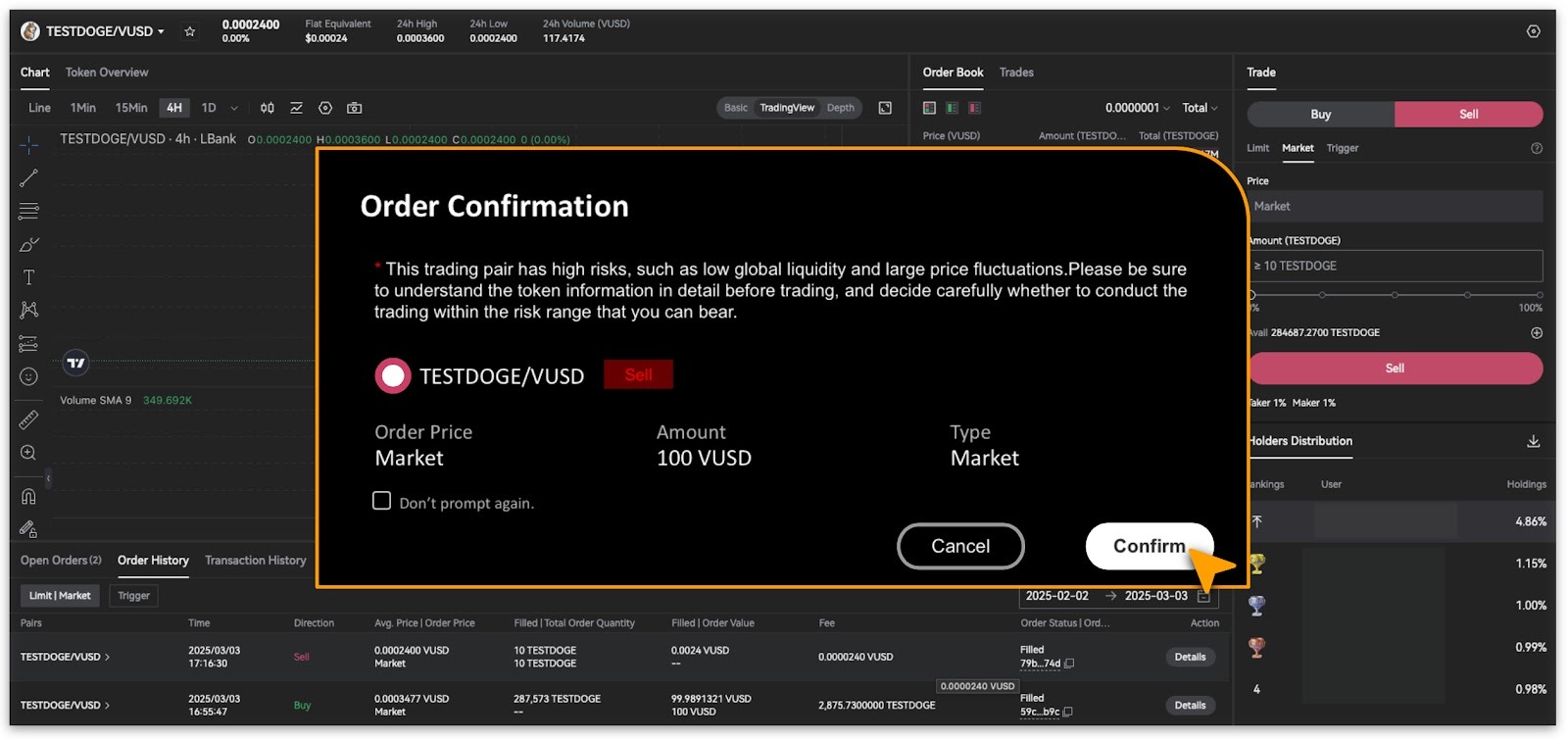
A pop-up will guide you to view and confirm order details.
-
After reviewing, simply tap「Confirm」to proceed with your selling order.
-
Alternatively, tap「Cancel」to make changes.
View Trading Records
-
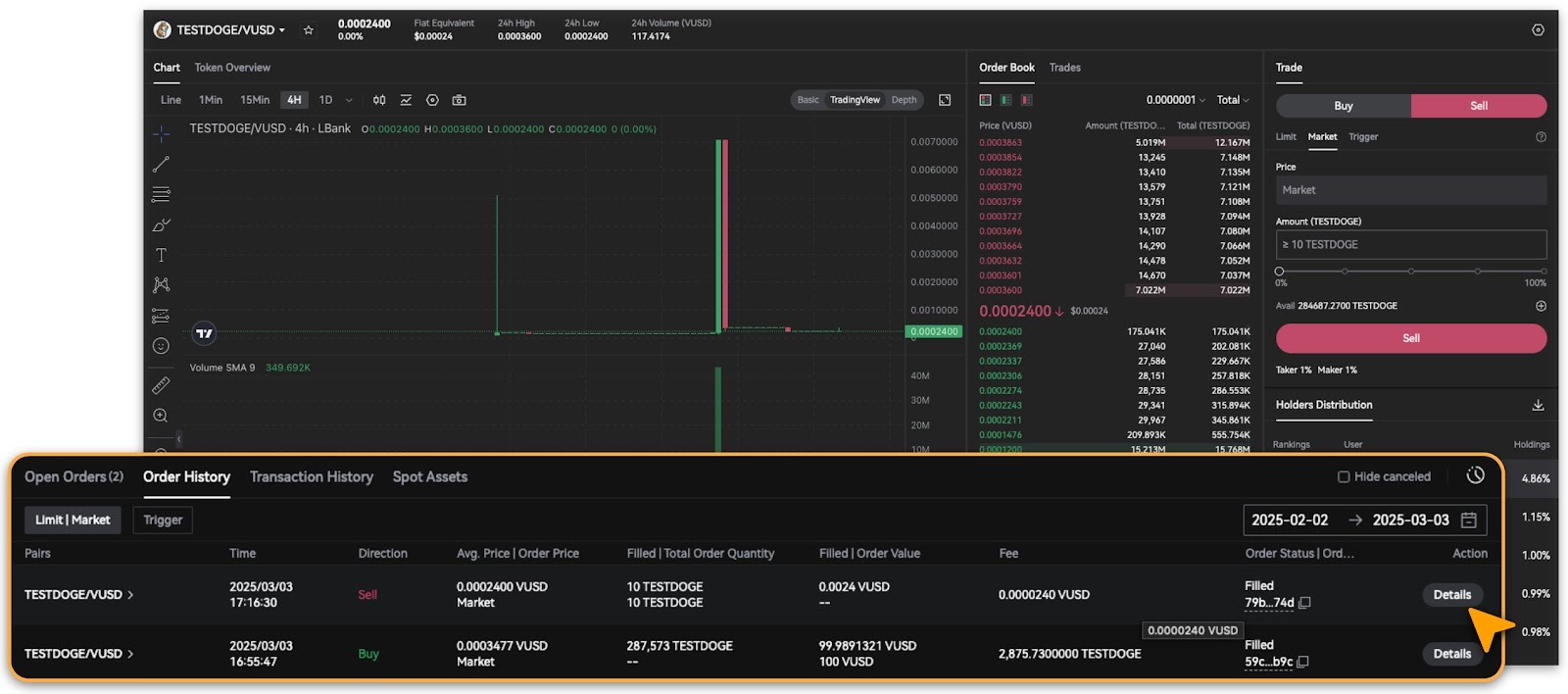
Once the Selling order is successfully processed, view the order history below the chart.
Note
-
A Limit order is to buy or sell at a specific price or better. Limit orders are not guaranteed to execute.
-
Market order is immediately matched to the best available market price.
-
Trigger orders allow traders to set target prices in advance. Only when the price reaches this level will a Limit or Market order be triggered.
-
An OCO (One Cancels the Other) order allows traders to place two orders simultaneously: one limit order and one stop order. See details on「What is an OCO Order?」.
Still Need Help?
If you have further questions or cannot resolve the issue, please visit the LBank official website (/) or contact our support team at sevice@lbank.com. We are committed to providing you with a secure and seamless trading experience!