


 Transférer
The LBank App provides convenient access to digital asset services, allowing users to view market data, manage assets, and access platform features anytime. Android users can download and install the Android APK from the LBank official website to use the LBank App.
To help protect your account and assets, download the installation file only from the LBank official website. Do not click unknown links, install APK files from unofficial sources, or share your password, verification codes, or other security information with anyone.
This guide explains how to download, install, log in to, and manage permissions for the LBank Android APK.
Step 1: Download the APK from the LBank Official Website
-
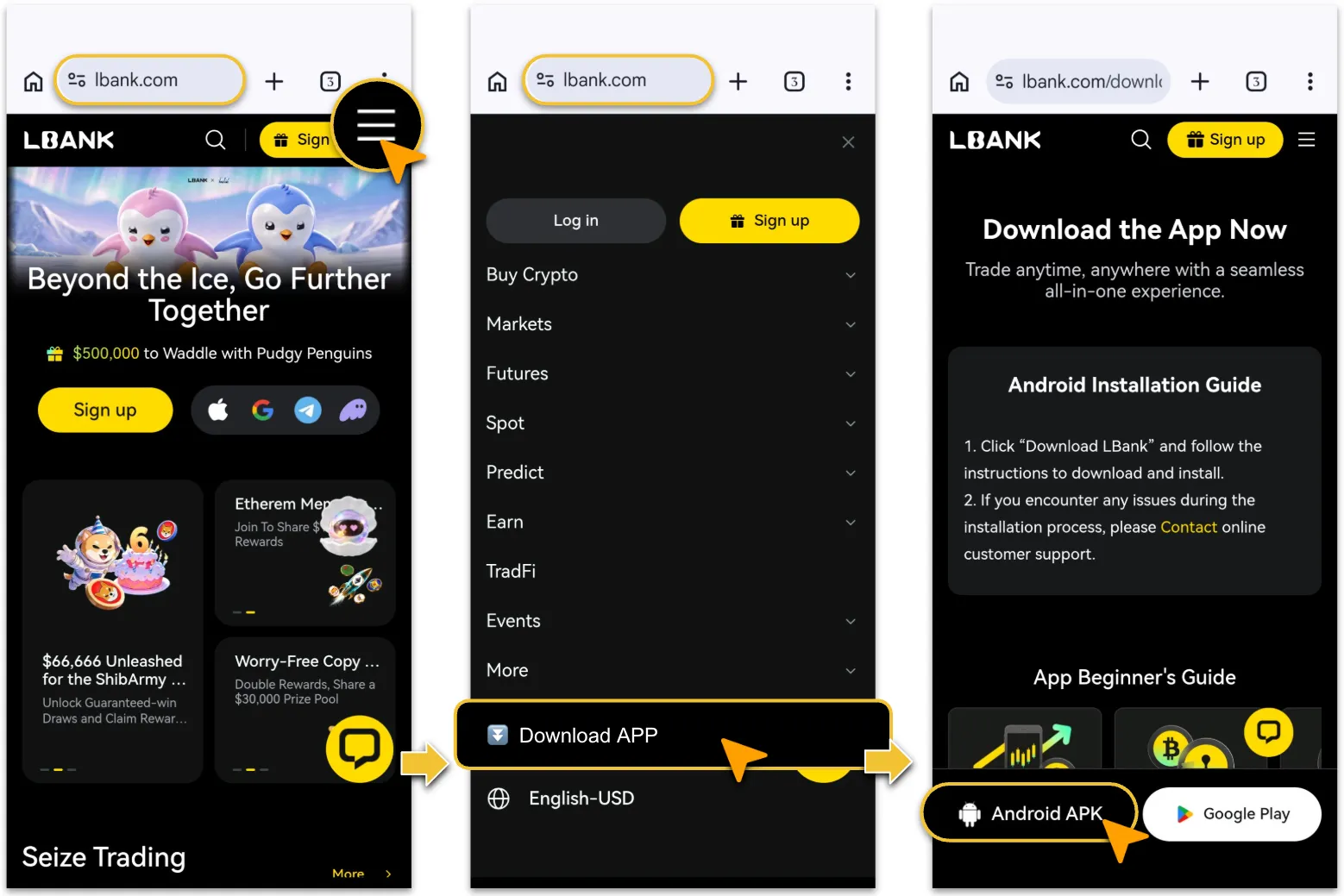
Open the LBank official website in the browser on your Android device.
-
Tap the menu icon in the upper-right corner.
-
Select「Download APP」.
-
On the download page, tap「Android APK」to begin downloading the installation file.
Step 2: Open the Downloaded APK File1.
-
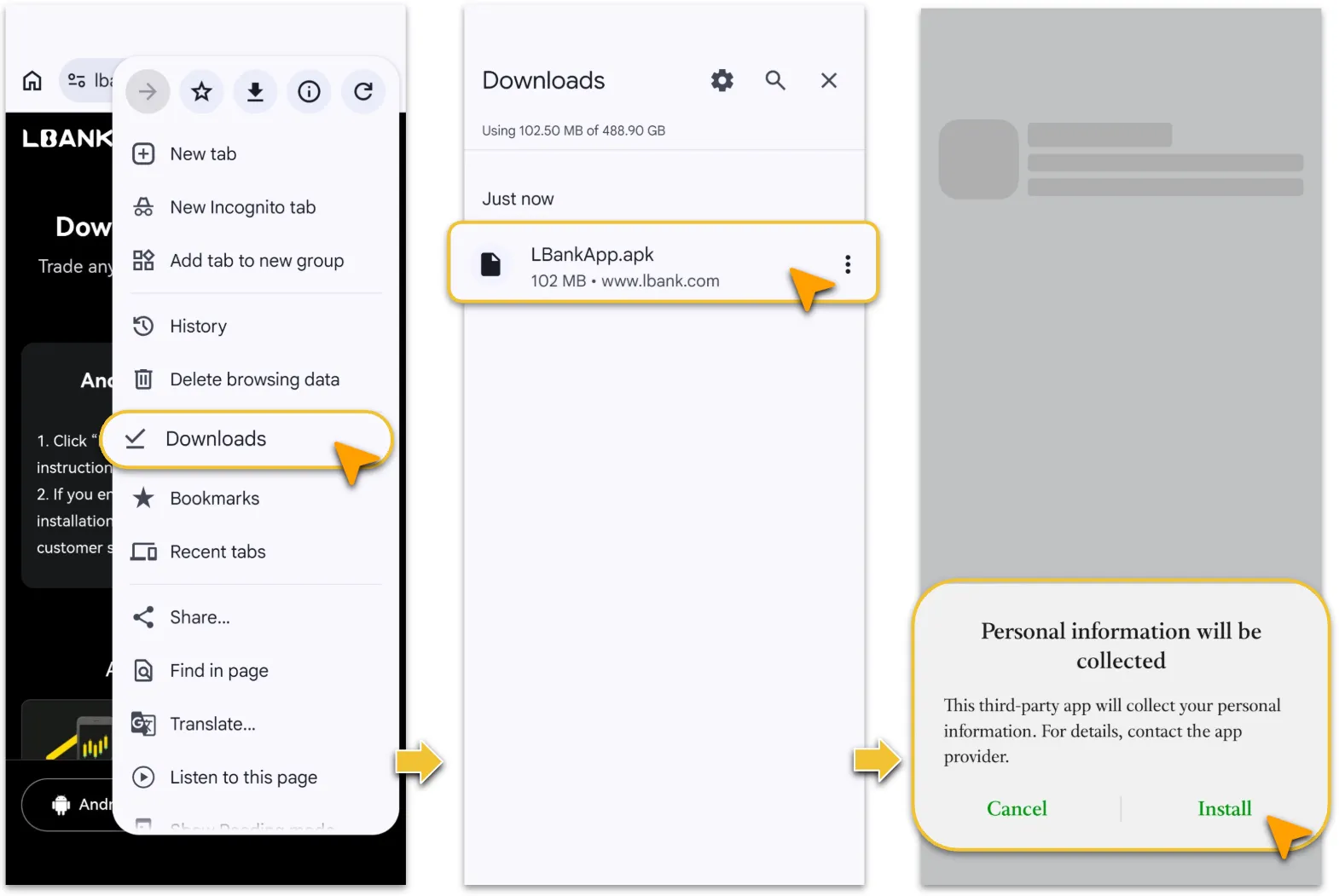
After the download is complete, tap the browser menu in the upper-right corner.
-
Select Downloads.
-
Locate LBankApp.apk in the download list as captured.
-
Tap the file and follow the on-screen instructions to continue the installation.
Step 3: Complete Installation & Configure Required Permissions
-
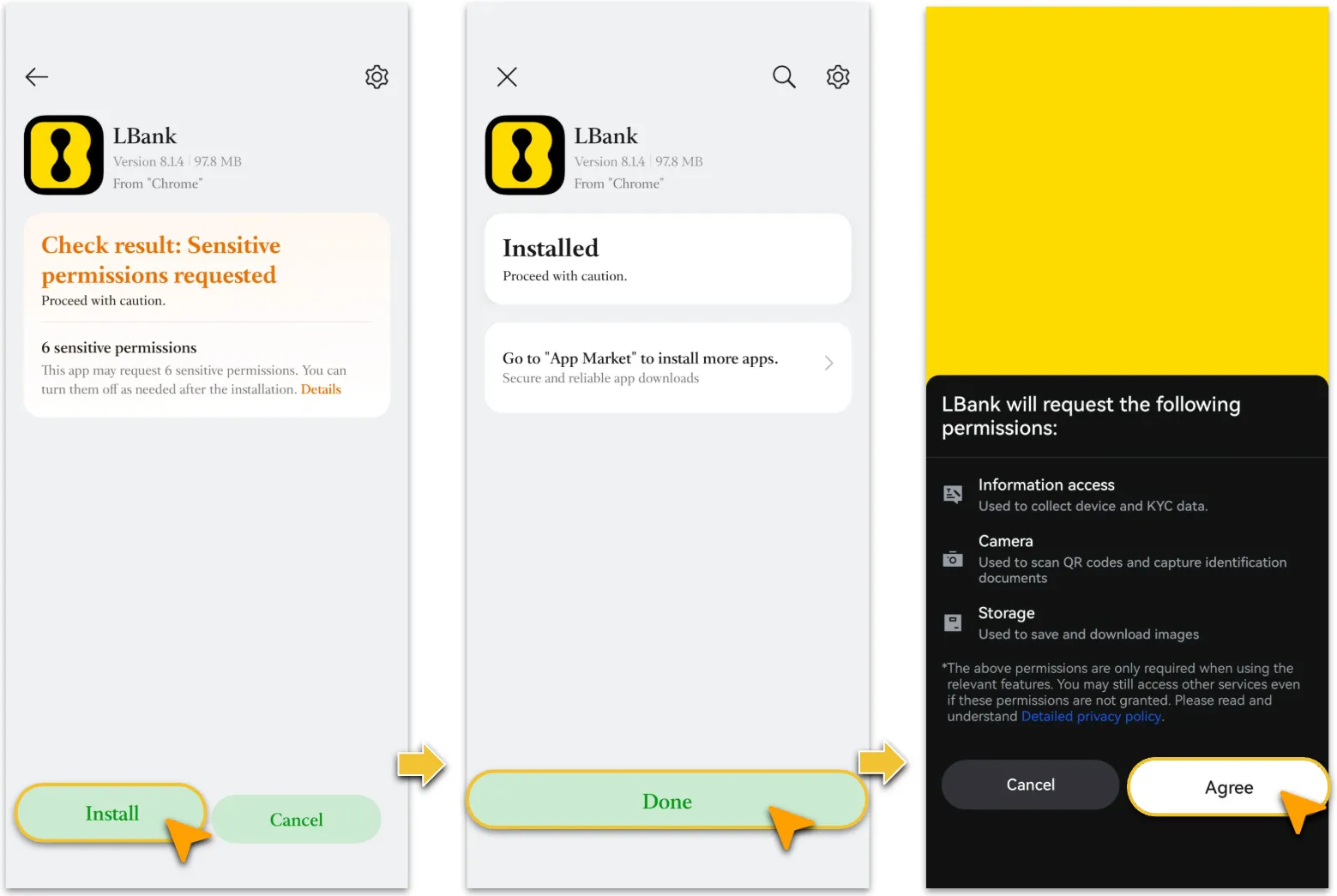
On the system installation page, tap「Install」.
-
After installation is complete, tap「Done」or open the LBank App directly.
-
The App may request permissions such as access to device information, camera, and storage to support device verification, KYC identity verification, QR code scanning, and image uploads.
-
Select「Agree」based on your actual needs, or manage permissions later in your device settings.
Step 4: Log In or Sign Up
-
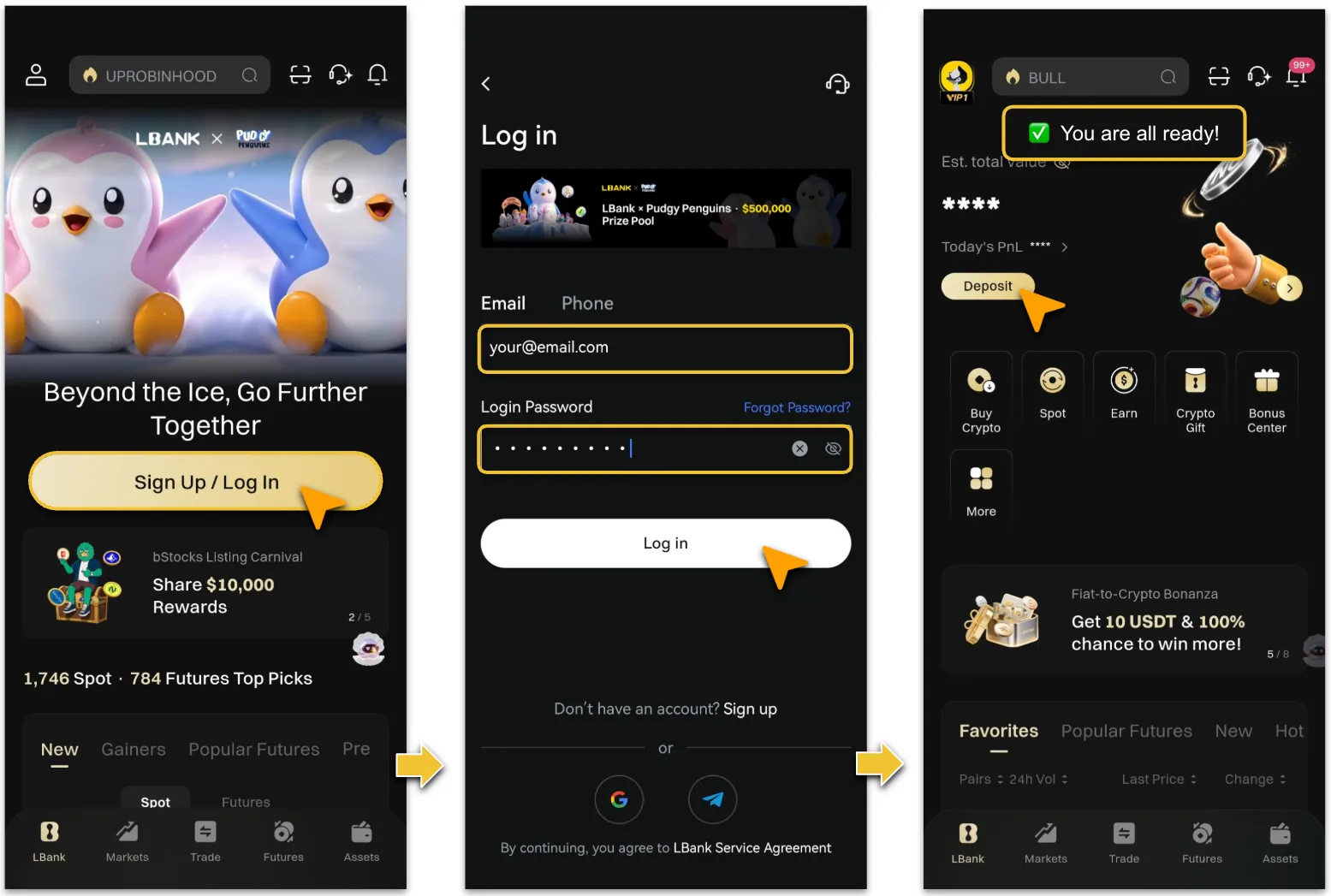
Open the LBank App and tap「Sign Up / Log In」.
-
Existing users can log in using their registered email address or phone number and password.
-
New users can tap「Sign up」and follow the on-screen instructions to create an account and complete security verification.
-
After logging in, you can access the homepage and use services such as deposits, crypto purchases, spot trading, futures trading, and asset management.
Security Note
-
Download the APK only from the LBank official website. Do not install files from unknown sources.
-
Before installation, verify the website domain and APK file name to help prevent phishing and malware risks.
-
After logging in, it is recommended that you enable Two-Factor Authentication (2FA) and keep your password, verification codes, and security credentials secure.
-
If you encounter any issues during downloading, installation, or login, please contact LBank official customer support for assistance.
Reminder
After installing and logging in to the LBank App, you can access LBank services anytime. We recommend keeping the App updated to the latest version and enabling account security measures such as Two-Factor Authentication (2FA) to enhance account and asset security.If you experience any issues while downloading, installing, or logging in, please contact LBank official customer support. Do not rely on instructions shared through unofficial communities, private messages, or third parties.