

LBank Intelligent Customer Service helps you quickly find information about platform features, account operations, and frequently asked questions. If you encounter issues with registration, login, identity verification, deposits, withdrawals, trading, or your account, you can first use Intelligent Customer Service for guidance. If your issue remains unresolved, you can contact Online Customer Service or submit a ticket.
How to Access Intelligent Customer Service
-
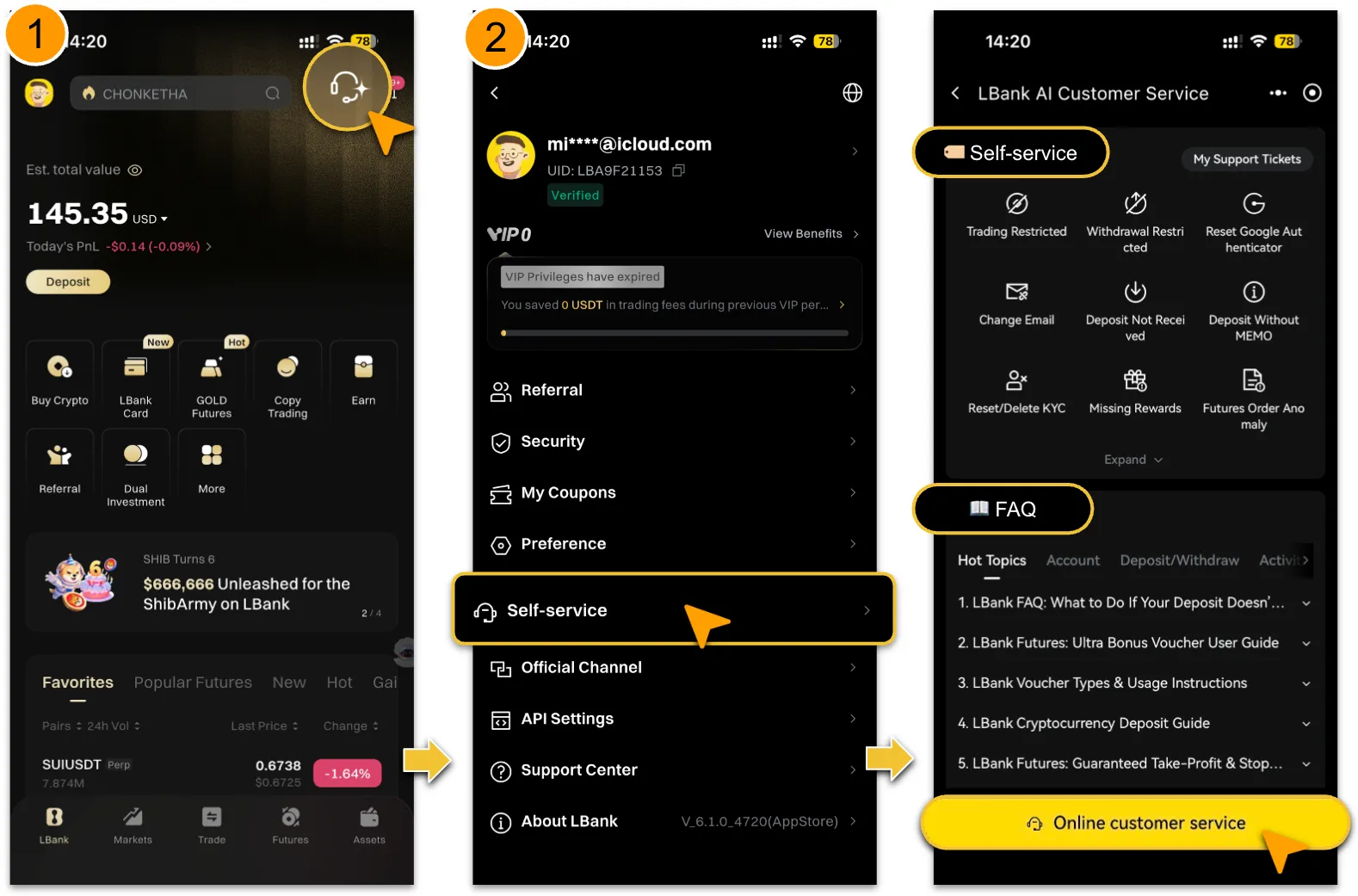
Log in to the official LBank website and click the customer service entry to access Intelligent Customer Service.
-
Please access customer service only through the official LBank website or App. Do not click unknown links or communicate with unofficial customer service accounts.
Available Support Topics
After accessing Intelligent Customer Service, you can use Self-Service and FAQ to find answers to common questions, including:
-
Registration, login, account security, and identity verification (KYC)
-
Deposits, withdrawals, fund transfers, and asset inquiries
-
Spot trading, futures trading, copy trading, and other trading features
-
Orders, trade history, fees, and campaign rules
-
Platform announcements, token information, and feature guides
-
Account issues, risk control notifications, and troubleshooting guidance
How to Use Online Customer Service
-
If you cannot find the option you need in「Self-Service」, or if「FAQ」does not provide a suitable answer, click「Online Customer Service」.
-
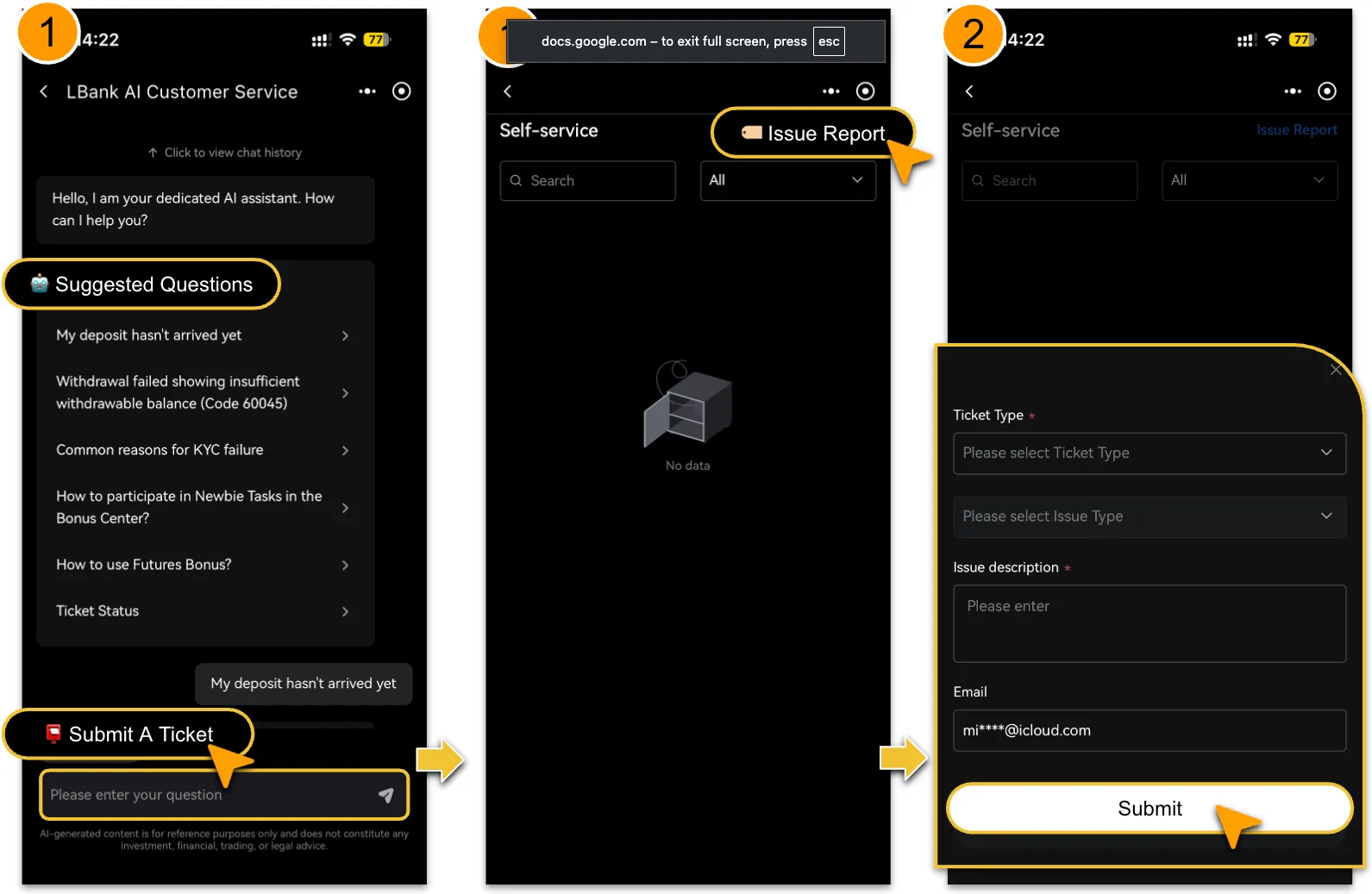
You can select a relevant topic under「Suggested Questions」or enter your question directly to start a conversation with Intelligent Customer Service.To receive more accurate assistance, clearly describe your issue and provide relevant details where applicable. For example:
-
How do I complete identity verification?
-
My USDT deposit has not been credited. How can I check its status?
-
How can I view my futures order history?
-
What does it mean when my withdrawal status shows “Processing”?
-
For trading, deposit, or withdrawal issues, please provide relevant information such as the order number, token, network, time of occurrence, and any error messages.
How to Submit a Ticket
-
If Online Customer Service cannot resolve your issue, click「Submit a Ticket」and follow the on-screen instructions to provide the required details. This allows the customer service team to investigate your issue further. Please provide complete and accurate information where applicable, including:
-
Your LBank UID
-
The time of occurrence and time zone
-
Relevant token, trading pair, or order number
-
Transaction hash (TxID) for deposits or withdrawals
-
Screenshots of error messages, screen recordings, or other supporting materials
-
Providing complete information helps the customer service team verify and handle your issue more efficiently.
How to Check Ticket Status
-
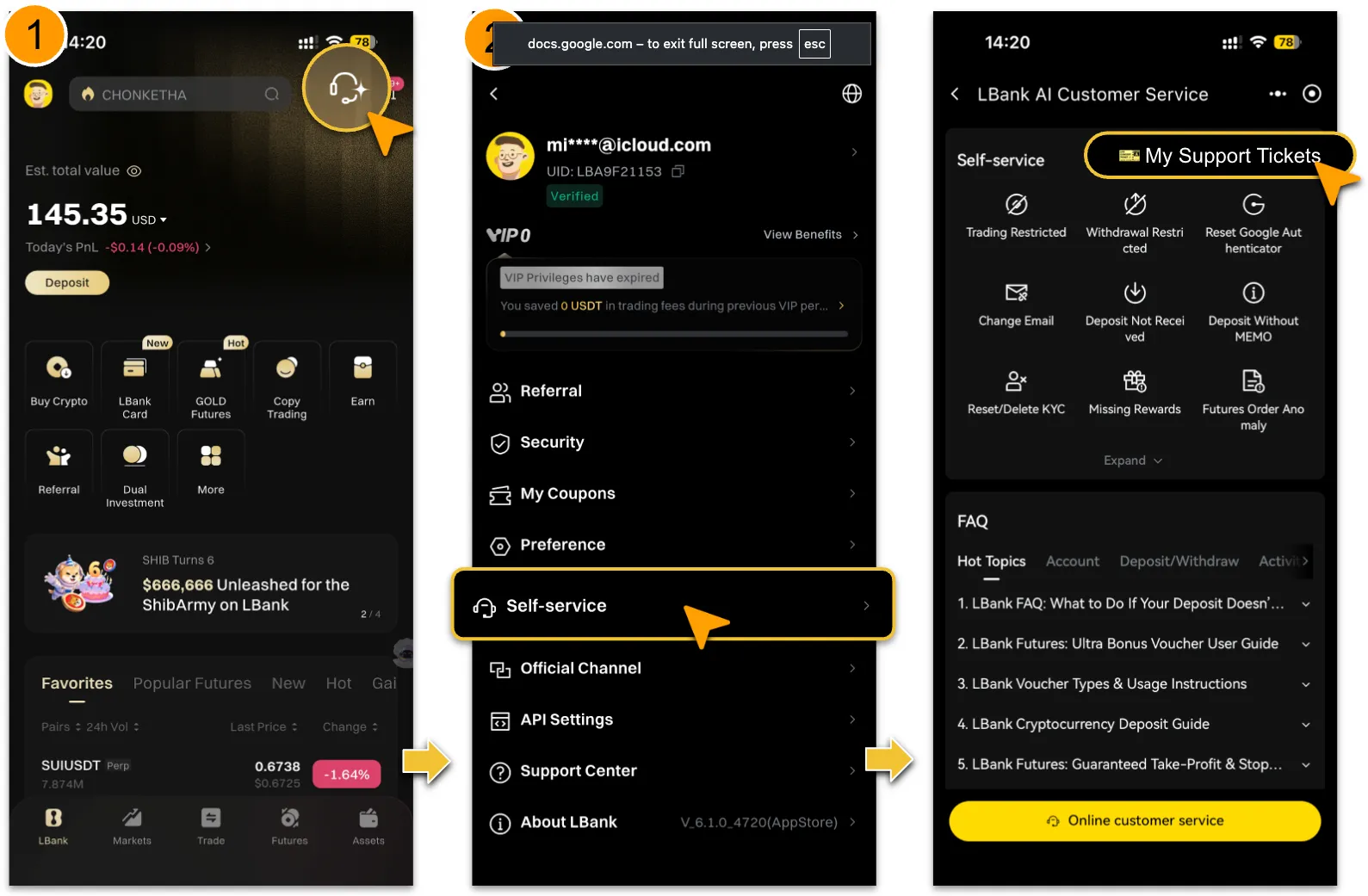
To check the status of a submitted ticket, access Intelligent Customer Service and select「My Support Tickets」.
-
You can enter keywords to search for a specific ticket or filter tickets by status.
-
Please check your ticket status and customer service replies regularly. If additional information is requested, submit it promptly so that your issue can continue to be processed.
Security Reminder
-
LBank customer service will never ask for your account password, SMS verification code, Google Authenticator code, private key, or recovery phrase.
-
Do not disclose sensitive account information to anyone. Do not click unknown links or scan suspicious QR codes.
-
Be cautious of any message requesting a transfer, “unfreezing fee,” or verification code. If you encounter suspicious activity, stop immediately and verify the information through official LBank channels.
-
Information provided by Intelligent Customer Service is for general informational and operational reference only. It does not constitute investment, financial, or legal advice.
Reminder
For a smoother experience, use Intelligent Customer Service in a stable network environment and keep the chat page open while receiving assistance. If you need to leave temporarily, it is recommended that you wait until the current issue has been addressed before ending the conversation. After returning to Intelligent Customer Service, you can check the status of submitted requests under「My Support Tickets」.