


 Paglipat
The LBank Self-Service Ticket Center helps resolve account settings, identity verification, deposits, trading, campaign rewards, and other related issues. After you submit a ticket, the relevant team will process your request accordingly.
Quick Access
-
If you can log in to your account normally, we recommend submitting your request through the Self-Service Ticket Center first. This allows your issue to be assigned directly to the relevant team for more efficient handling.
-
To speed up processing, please select the appropriate ticket category based on your issue type before submitting a ticket:
How to Submit a Ticket
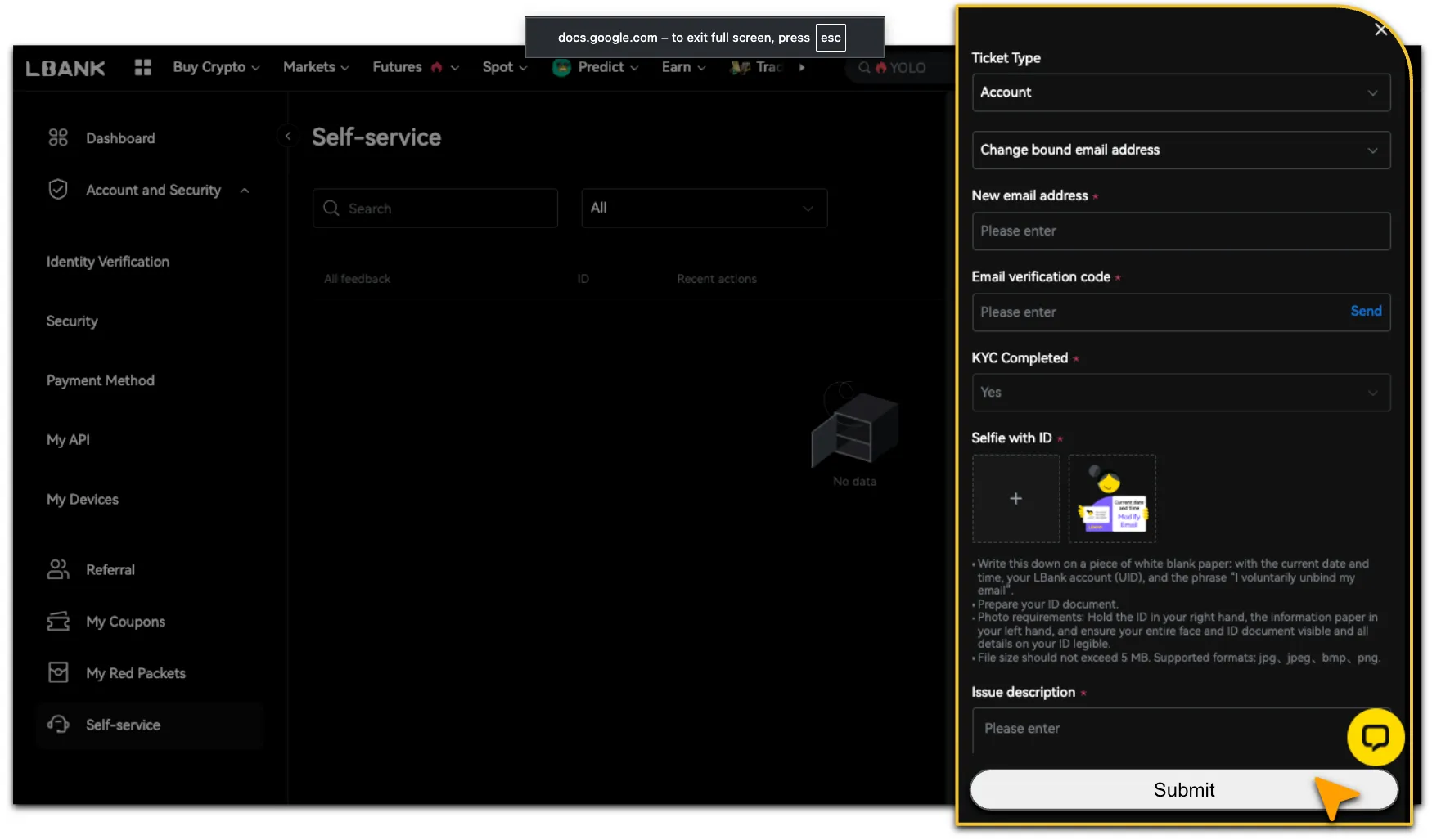
The following uses「Change Bound Email Address」as an example:
-
Log in to your LBank account and go to「Personal Center」.
-
Navigate to「Self-Service > Issue Report」, then select「Ticket Type > Account > Change Bound Email Address.
-
Fill in the required fields accurately and completely according to the page instructions.
-
If supporting documents are required, please upload the relevant screenshots or files.
-
After confirming that the information is correct, click「Submit」to create your ticket.
-
To improve processing efficiency, please ensure that you select the correct issue category and provide complete supporting information, such as your UID, relevant order number, transaction hash (TxID), issue screenshots, and the time the issue occurred.
Check Ticket Progress
-
After submitting a ticket, LBank will notify you of the processing progress through in-app messages and email.
-
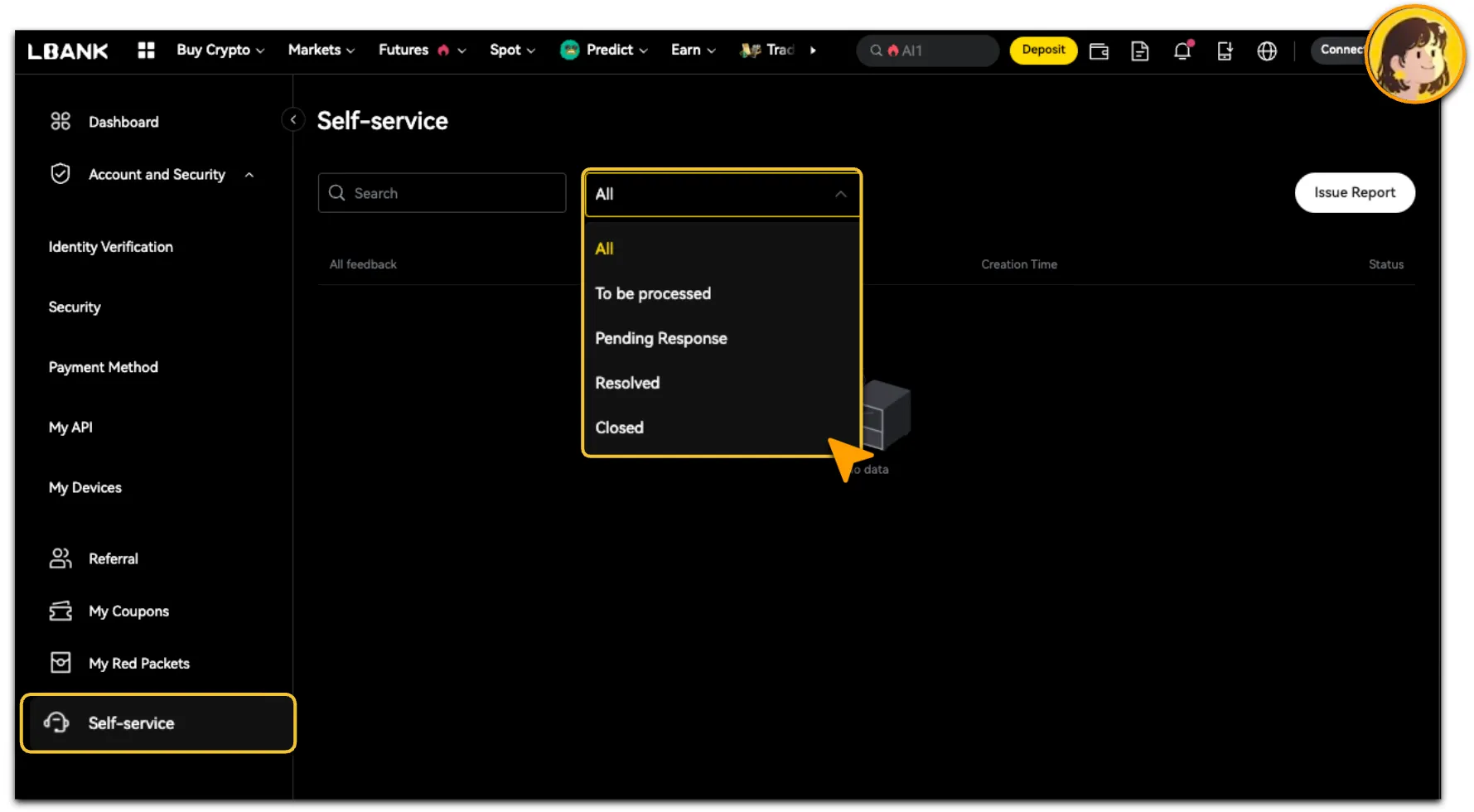
After logging in, go to「Personal Center > Self-Service」to view the ticket status and provide supplementary information or replies.
-
Ticket statuses are as follows:
Submission Notes
-
Please keep only one ticket in progress for the same issue.
-
When a ticket status is「To Be Processed」or「Pending Response」, you will not be able to submit another ticket for the same issue.
-
Once the original ticket status changes to「Resolved」or「Closed」, you may submit a new request if necessary.
-
Do not provide your account password, SMS verification code, Google Authenticator code, or any other sensitive security information in the ticket.
-
If you need to provide supplementary information, please reply directly within the original ticket to avoid repeated submissions and processing delays.
Reminder
To ensure the security of your account and assets, please submit self-service tickets only through the official LBank website or App. LBank Customer Support will never ask you for your account password, SMS verification code, Google Authenticator code, or private key. If you encounter suspicious links, messages, or individuals, please do not click, reply, or provide any sensitive information.