

LBank supports exporting historical records of completed orders. This feature is currently available only on the web version.
In digital asset trading, having full access to your historical trade records is essential for many users to perform trade analysis, tax reporting, or strategy optimization. Whether you need to review detailed transaction information for specific trading pairs or get a comprehensive overview of your performance over a period, the following steps will guide you through the export process quickly and efficiently.
How-to Steps
Access「Order Center」
-
Visit the LBank official website and log in to your account;
-
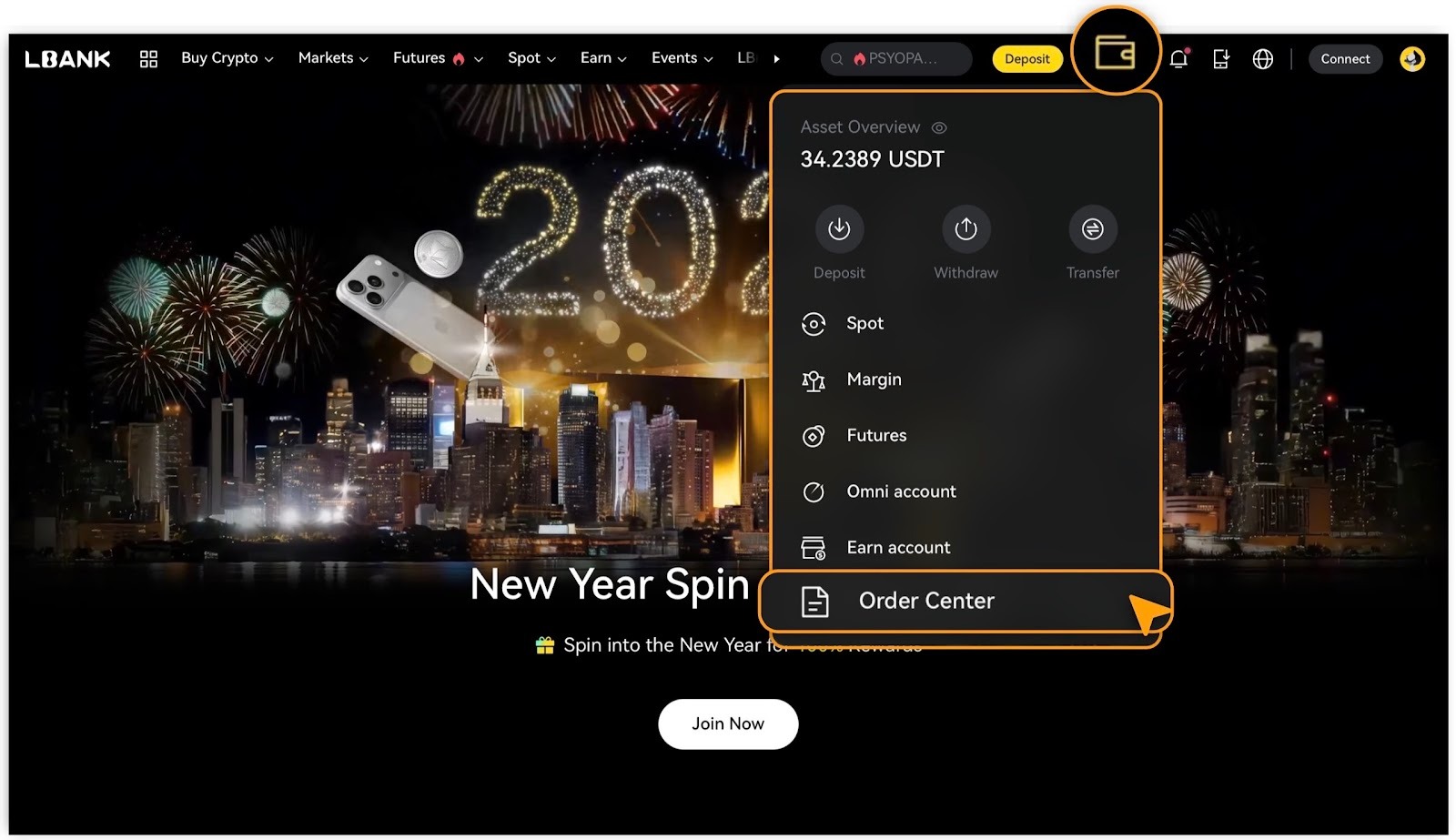
Click「Assets」in the top right corner, then select「Order Center」.
View Trade Records
「Spot History」
-
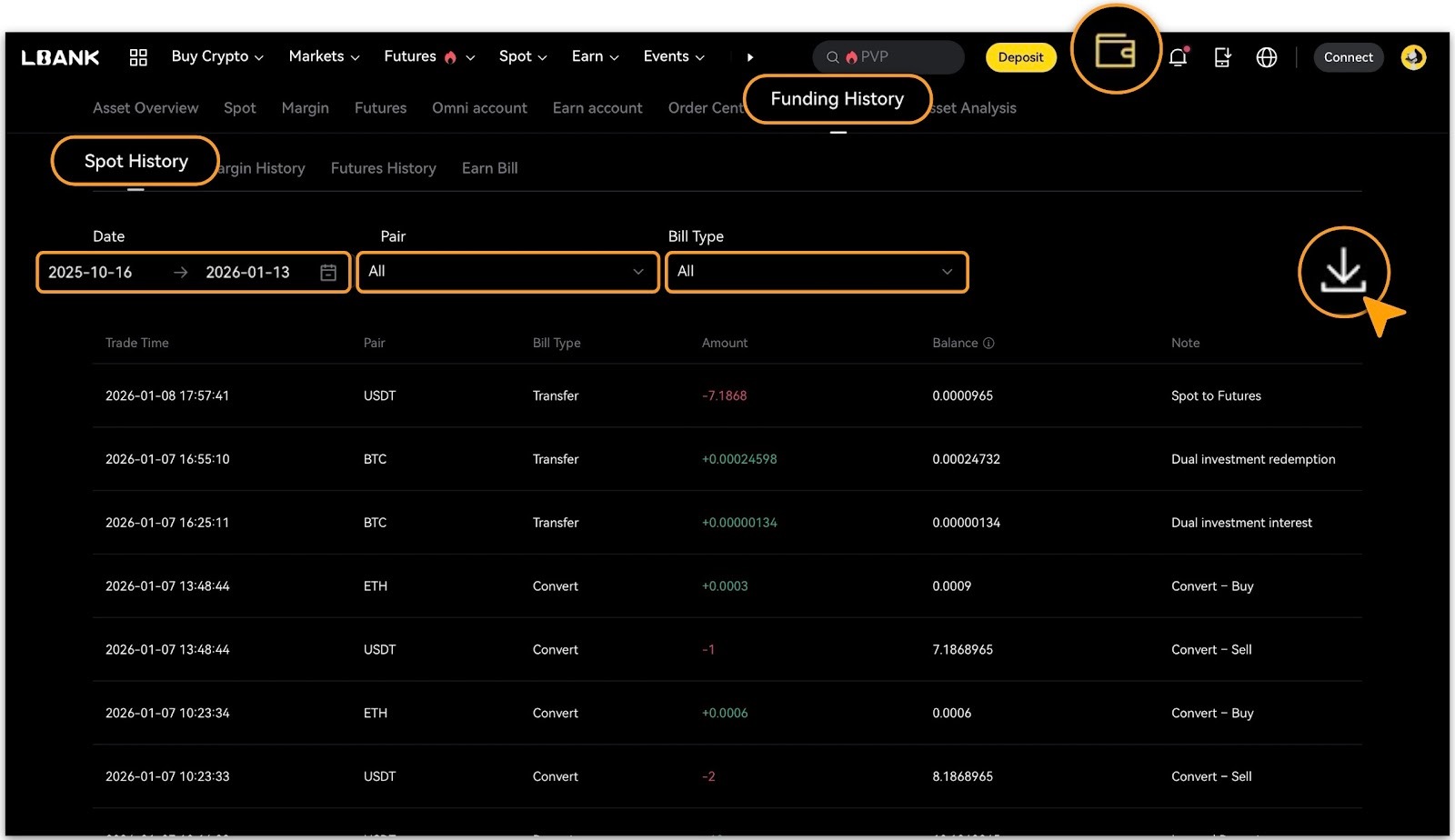
In the「Order Center」, navigate to「Funding History > Spot History」 ;
-
Filter by「Date」,「Pair」, or「Bill Type」as needed to review details.
「Margin History」
-
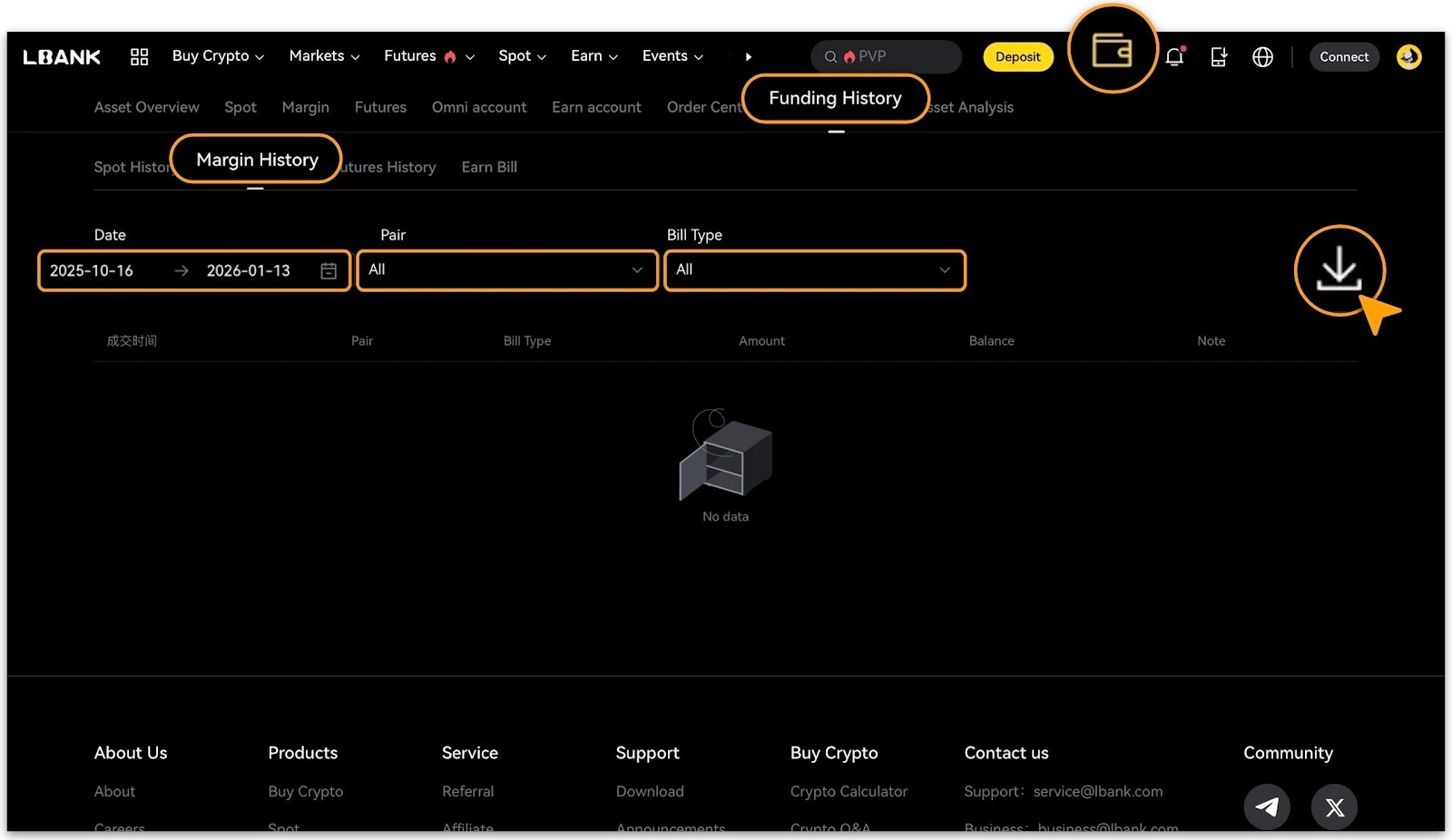
Navigate to「Order Center > Funding History」, select「Margin History」;
-
Filter by「Date」,「Pair」, or「Bill Type」as needed to review details.
「Futures History」
-
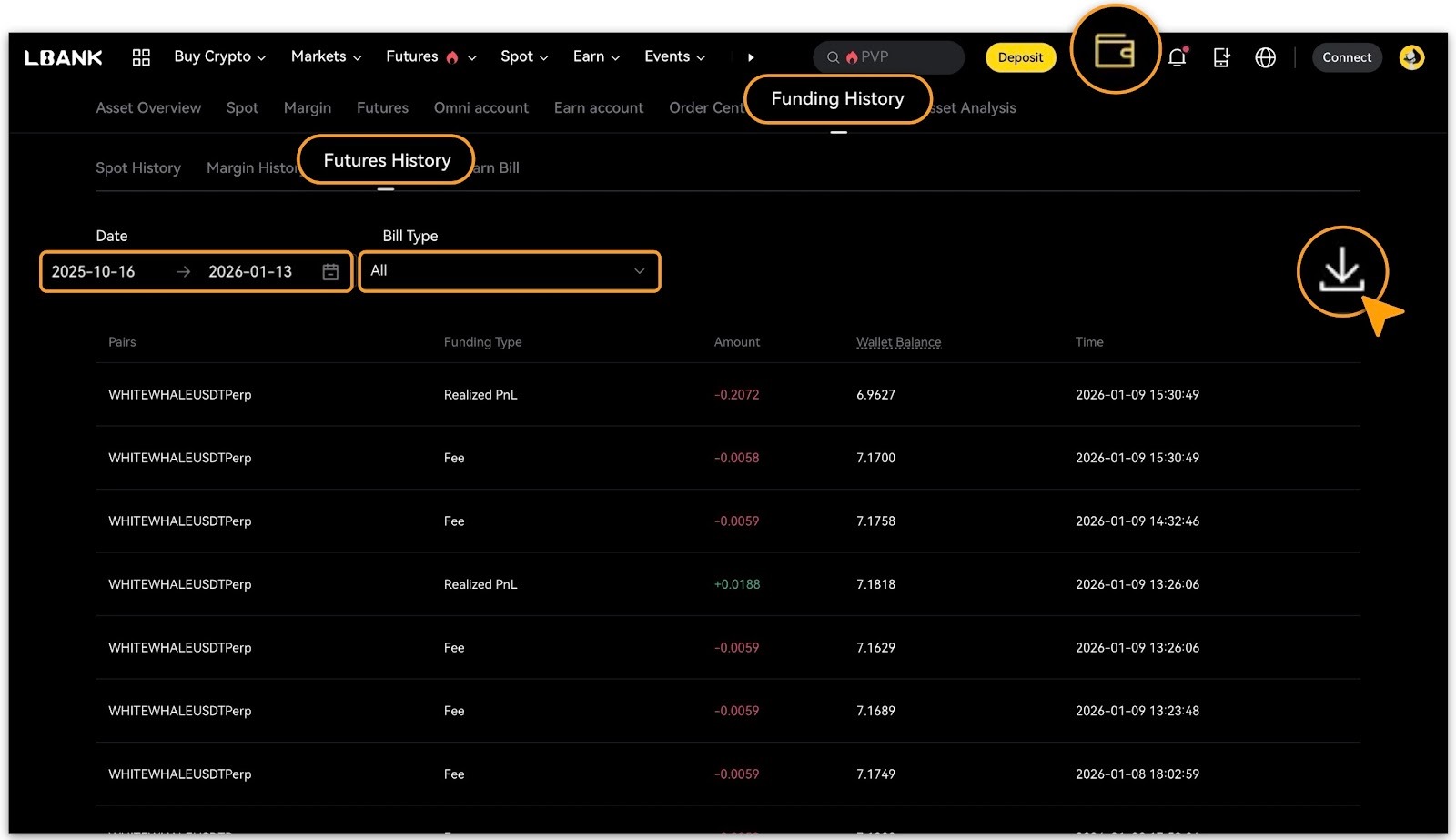
Navigate to「Order Center > Funding History」, select「Futures History」;
-
Filter by「Date」,or「Pair」as needed to review details.
「Earn Bill」
-
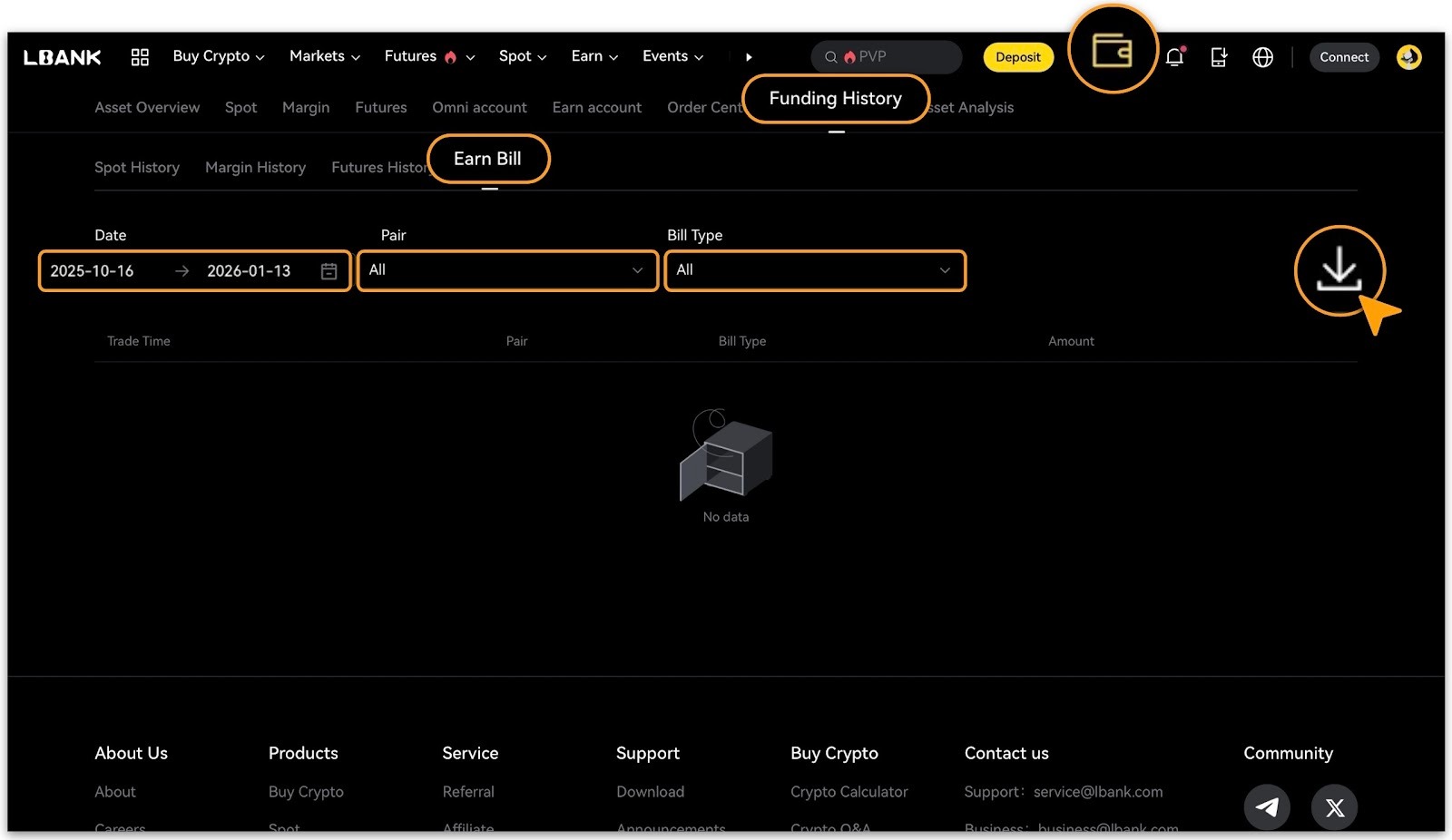
Navigate to「Order Center > Funding History」, select「Earn Bill」;
-
Filter by「Date」,「Pair」, or「Bill Type」as needed to review details.
Download the Records
-
Currently, only the following categories「Spot History」,「Margin History」and「Futures History」support download;「Earn Bill」is available for online viewing only.
-
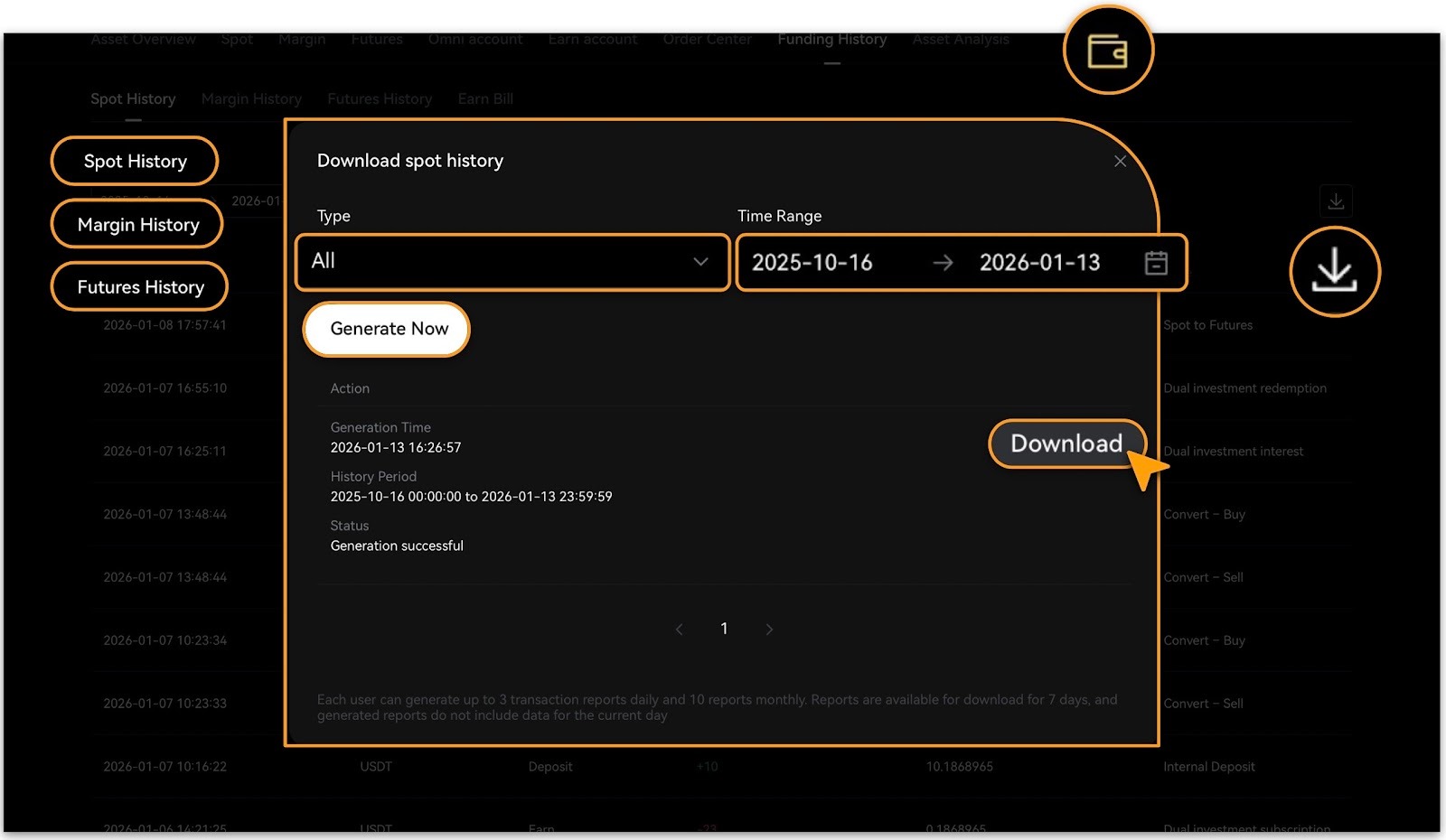
In the corresponding Transaction History section: tap「Download🔘」button, confirm「Type」and「Time Range」, tap「Generate Now」to create the report;
-
Once the report is successfully generated, click「Download⏬」to save it locally.
-
Report Format: Excel spreadsheet, including key fields such as: trading pair, transaction time, direction (buy/sell), average price, quantity, volume, transaction fee, etc.
Reminder
Due to server processing limitations, each user can export up to 3 times per day and 10 times per month. Generated reports are retained for 7 days and do not include same-day transaction data.If you need to export more data or encounter any issues, please contact LBank Customer Support for assistance.