

LBank offers a simple and secure account registration process, supporting sign-up via email, mobile number, and multiple third-party accounts. This guide will walk you through the most commonly used phone number registration method, helping you create your account quickly and start your digital asset trading journey on LBank.
How-to Steps
Web
Choose Registration Method – Phone
-
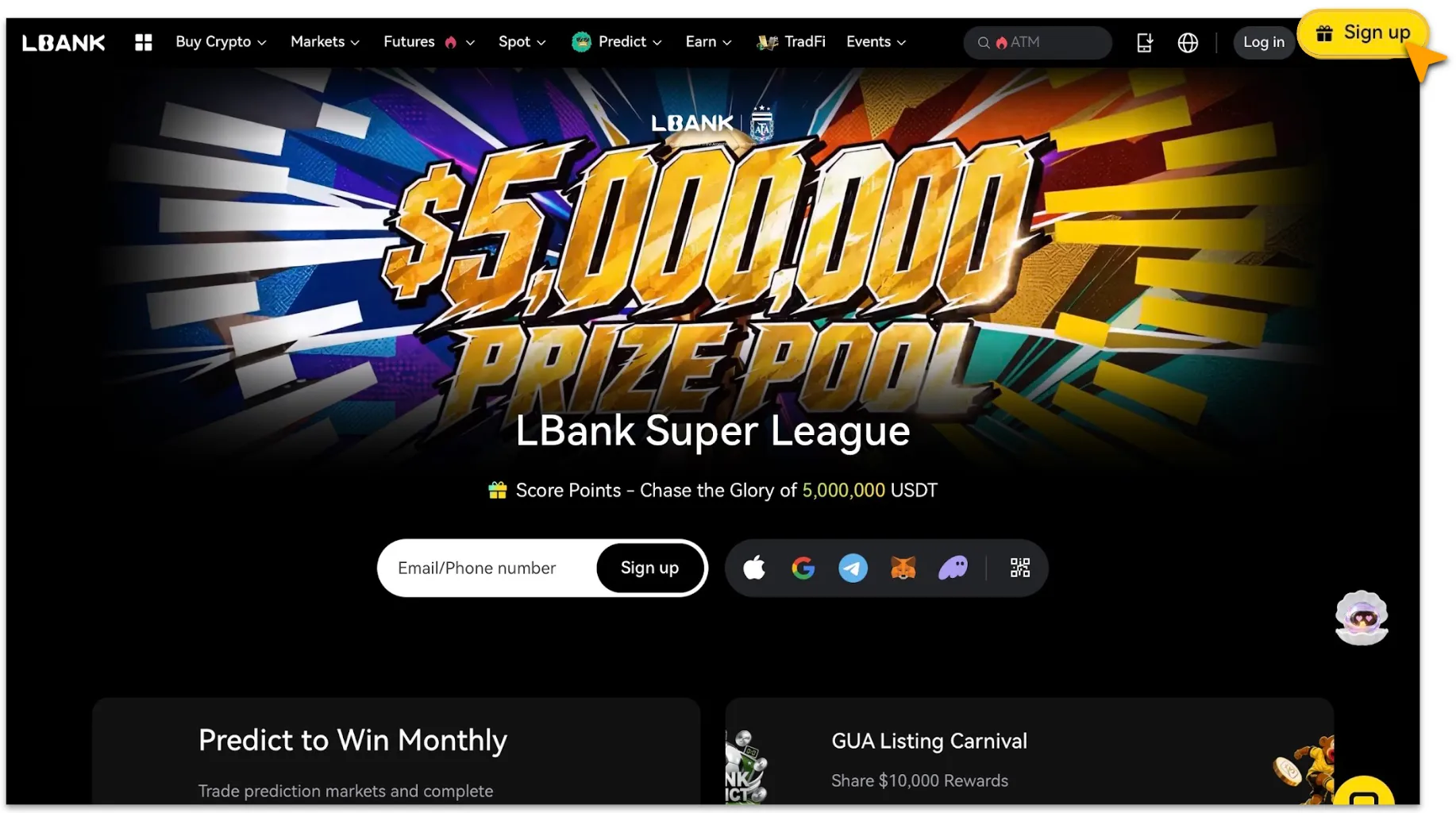
Visit the LBank Official Website;
-
Click the yellow「Sign Up」button in the upper-right corner to enter the registration page.
Complete Registration
-
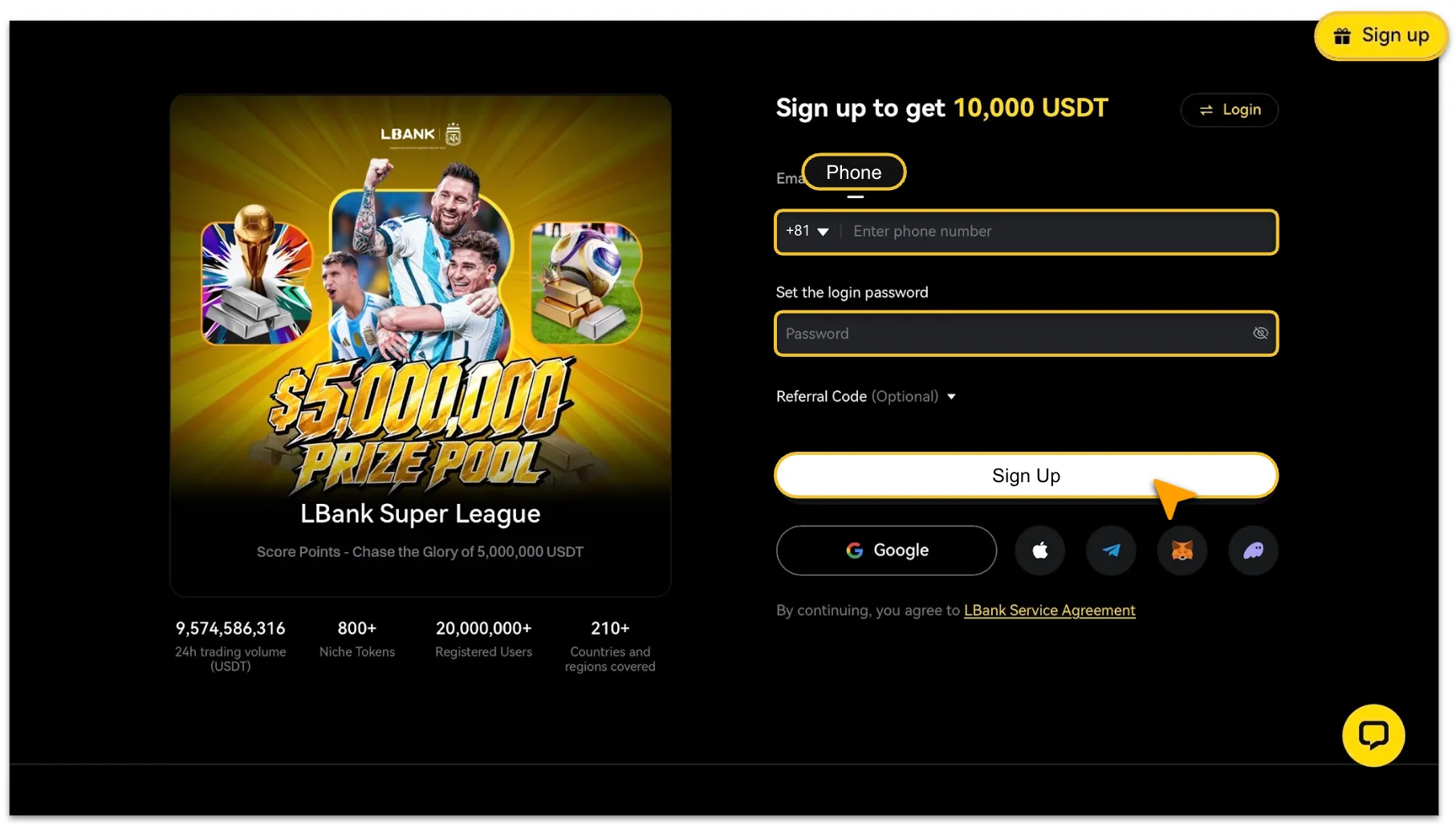
As shown, select「Phone」for registration. Follow the prompts to choose your country/region code, enter a valid mobile number, set your login password, and tap “Register.”
-
If the mobile number you entered has not been used by another account, the registration will be completed successfully. If the system indicates that the number has already been registered, please use a different mobile number that has not been used on the LBank platform.
App
-
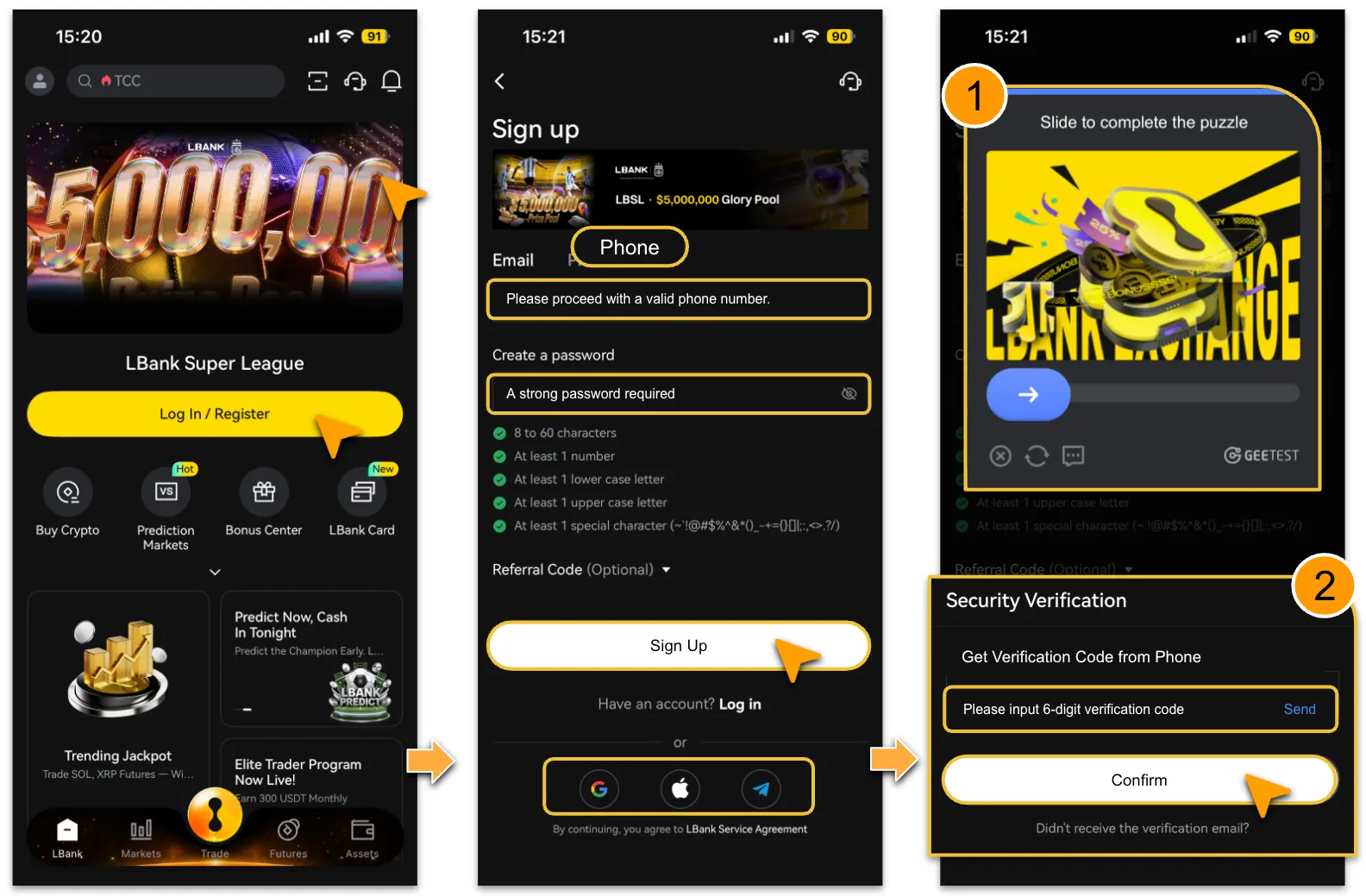
Open the official LBank App and tap「Sign Up / Log In」on the homepage to enter the registration page as shown.
-
Select「Email」, enter a valid email address, and set your login password as prompted. Then tap「Sign Up」.
-
Complete the security verification by following the on-screen instructions.
-
After the verification is completed, the system will automatically send a verification code to your registered mobile number. Enter the code to complete registration and log in.
Important Notes
-
If you have not received the verification code, please check your SMS spam or junk folder first. If the issue persists, please contact customer support.
-
You can reset your password at any time on the LBank website or App. For account security, withdrawals will be temporarily disabled for 24 hours after a password reset.
If you encounter any issues during registration, please contact us via the official support email: 📮service@lbank.com . Our team is committed to providing professional and efficient customer service.